



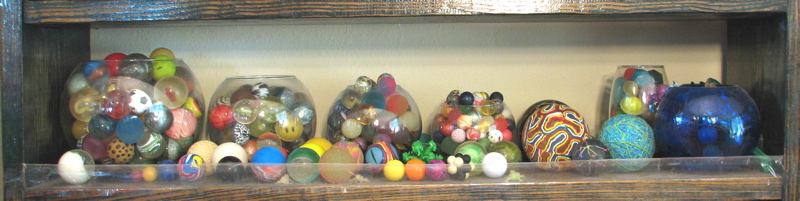
Flickr is a great tool for organizing a collection. You can upload your photos and apply titles, tags and descriptions, which is a sneaky way of cramming a lot of indexed data into an invisible database. (You probably do that already, so why not reap the benefits?) The great thing about it is that you can use the indexing metadata to easily search and sort your collection by a variety of criteria. Naturally, because it’s flickr, you can also share information about your collection as well as visually share the collection itself.
An example is my super ball collection, twenty years in the making, containing 325 items (not including jacks) which I photographed and organized using flickr.
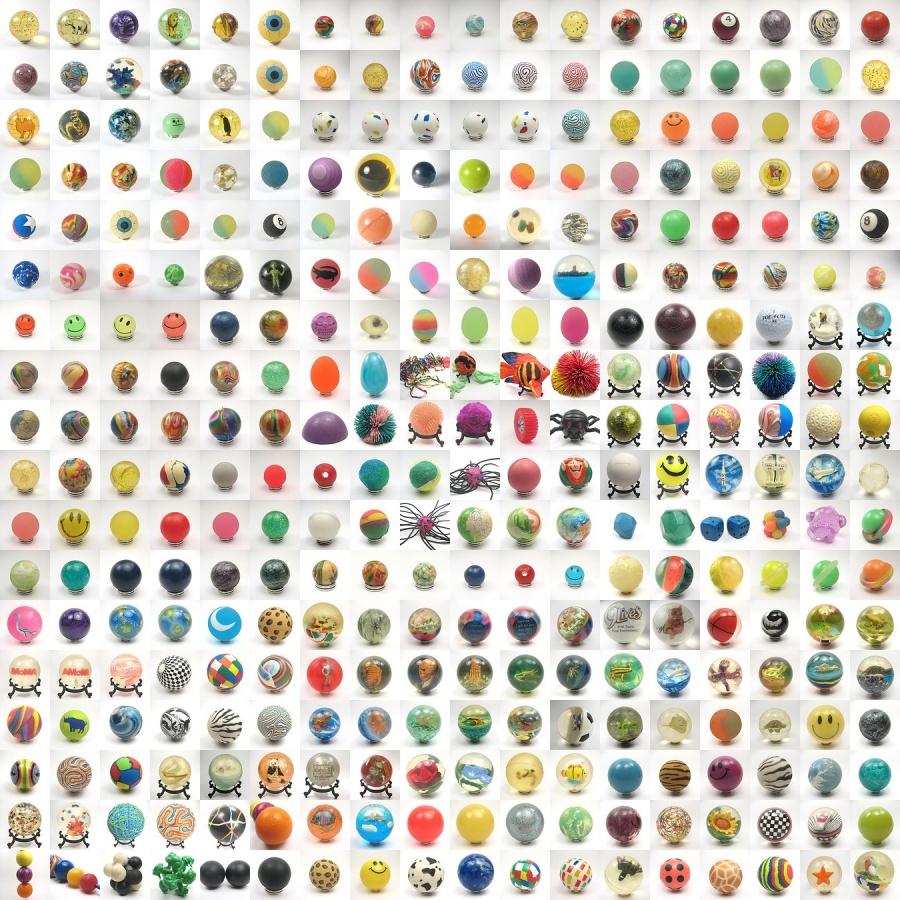
Below is an 18 x 18 mosaic of 324 pictures of the items in my collection of super balls (and closely related objects), ranging from the size of a kumquat to the size of a pomelo. Read on to learn about some of the tricks and tools (such as making mosaics) that you can use for your collections.
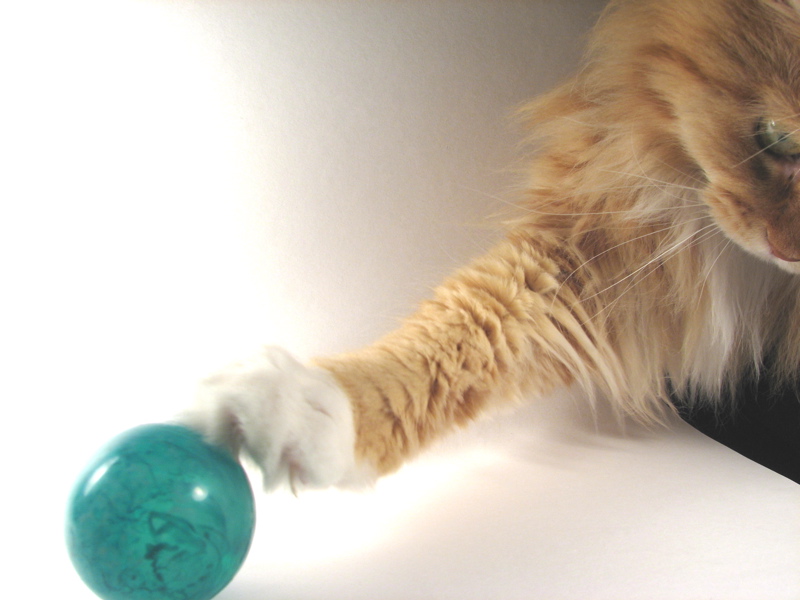 While photography has its own challenges (see photo), one of the most important tasks comes after you have taken the pictures. You must decide on how to name and categorize your photos. It is best to include as much information as possible when you do your initial tagging. Although flickr does have a variety of ways of adding tags anytime, it is much more efficient to do it all at once.
Each photo title in the super ball collection includes a (rather arbitrary) catalog number for each item. The size (18.5 mm to 115 mm) is included in the description, as well as any narrative information pertinent to that individual item, such as whether it was a gift and from whom. Some of the categories used for tagging were color, transparency, texture, pattern, and whether anything was inside the super ball. Most of the items receive multiple tags in any given category.
Deciding on classifications and inputting the tags is the hard part. Once all of the tags are in place your collection is searchable, and you can make sets based on any of the criteria used.
The basic naming and tagging protocol used for the super balls is below:
- Is it a super ball?
- If yes: name begins with SB
- If no: is it a ball?
- Does it have something inside?
- if yes tag: inclusions, tag: name of item(s) inside
- What texture?
- What color(s)?
- Transparency level?
- What pattern?
- Is it painted?
- If yes, tag: painted
- subcategory: animal print
- If yes, tag: painted
- Was it formed in two halves?
- If yes, tag: half
Only two of my super balls are actually name-brand Super Balls, and they are tagged wham-o. Here are several sets based on the criteria above, including solid colors, swirls, blue, and (slightly more specific) glitter super balls with a plastic film inside. All of the super ball sets are gathered into a flickr collection. Flickr collections are a recent feature which allow you to group sets and collections, and they are particularly useful when you are working with photographs of collections.
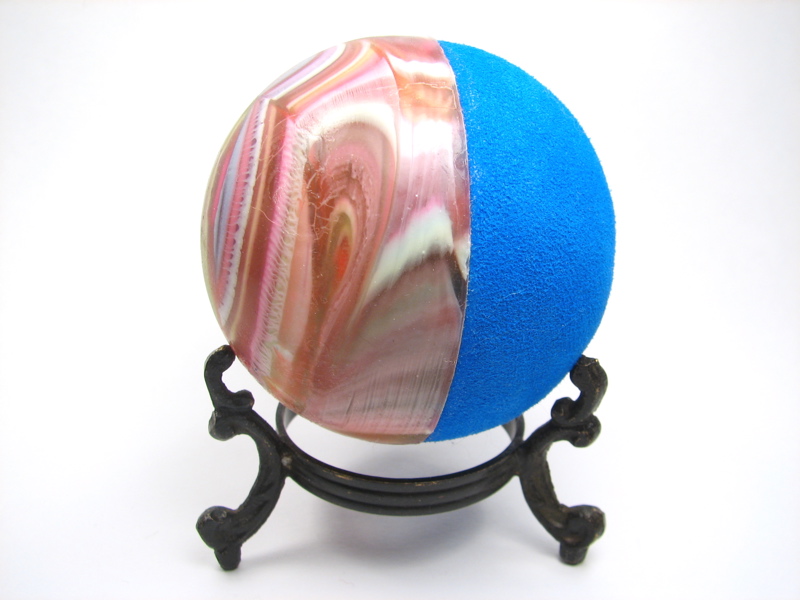
This ball fits into a lot of the categories. Being half foam, it is not entirely super ball, so the name starts with BA. It is both “smooth” and “textured,” “swirl”, “opaque,” “pink,” “blue,” “white,” and formed it two halves, so it gets “half” as well. It shows up in both the blue and swirl sets.
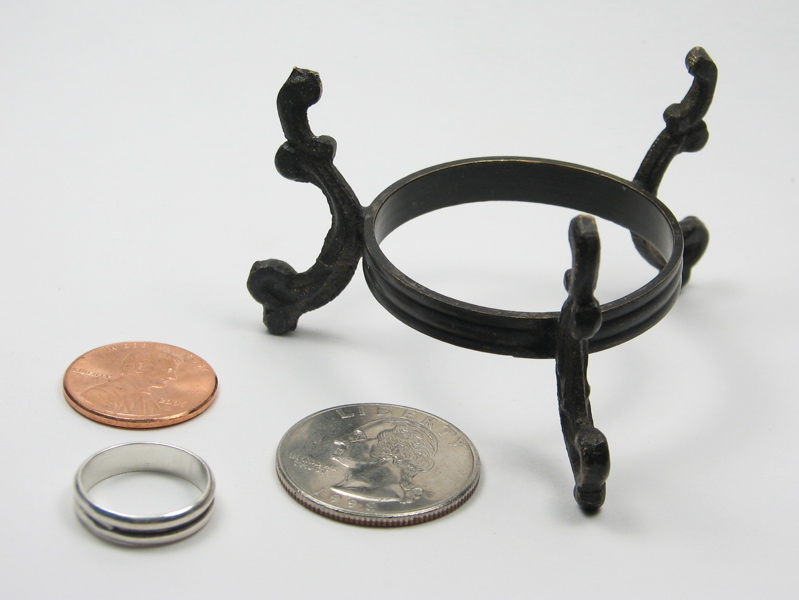
One last detail included was to take a picture of the stands used in the pictures to provide a bit of a size reference.
There are many tools you can use with flickr. One very useful one is a mosaic maker. This particular tool can compile up to 36 of your pictures into one image. A set of 324 pictures of mug shots (no group shots) and was run through the mosaic maker to make nine 6×6 mosaics which were run through the mosaic maker again to make the mosaic above. The mosaic gives a totally different view of the collection than the picture of the balls on their shelf. This gives you a great way to share your collection visually.The social aspect of sharing your collection shouldn’t be overlooked. There are many flickr groups related to collecting (such as this collecting group) and you are likely to find aficionados in your area of interest. If you can’t find a group for the items you collect, you can always start one. Here’s my new super ball group, since, believe it or not, there wasn’t one already. There is already a group dedicated to balls in general, and they will probably get a few contributions from me, but it will be interesting to see who else likes super balls in particular.
One thing to keep in mind is that for a large collection, you will almost certainly want a flickr pro account to have access to unlimited uploads. If you are (for example) thinking of cataloging your antiques collection for insurance purposes, the $25 annual fee would likely be a good investment. It seems like a reasonable price for off-site documentation storage, which is always a good idea in case something should happen to your collection. While super balls are not particularly worrisome in terms of theft or even natural disaster, cataloging the collection has answered one of my nagging questions: how many? There are 278 super balls, and another 47 miscellaneous balls and bouncy things.
Although it has very little to do with collecting, it is not possible to leave the subject of super balls without mentioning the wonderful Bravia advertisement featuring 250,000 super balls bouncing in San Francisco. Only a few orders of magnitude more than my collection!

I’m so glad I’m not the only nutjob who collected bouncy balls.
Hi!
I am trying to build a dumping system against vibration using squash balls since they are known to be very good for this purpose. The problem is that I will need c.a. 500 balls and they will be extremely visible in the system so that I am looking for some nicely colored squash balls. I am not an expert in bouncing balls but I thought that in principle I could use any bouncing ball, as long as it is composed like the squash balls: made by two very elastic plastic halves and containing quite some air inside the ball.
Do you know where I could find this type of balls? Of course, it would be better if they are cheap!!
Please let me know if you have ans suggestion for me.
With many thanks in advance,
Paola.
bravia + flickr : http://www.flickr.com/search/?q=sony+bravia+balls&ss=2&z=t
Hello, I’m a quite extensive collector of bouncy balls myself. Over 700 myself now, I use pickle jars. I fill the middle with the solid colored balls or my repeat’s. It’s nice to know I’m not the only oddball out there.