



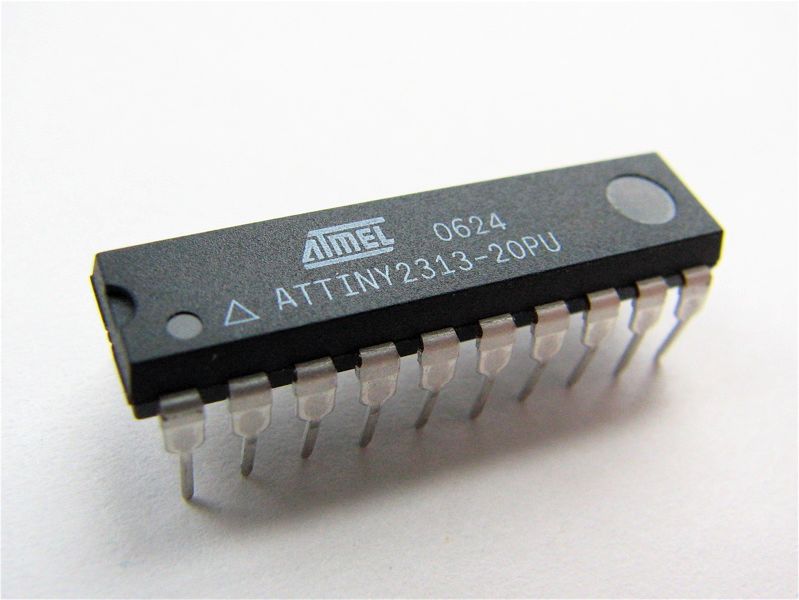
This is a quick note on AVR programming with the AVRISP MkII programmer, with which it is possible to foul up your clock fuse bits. =)
(This might be plain as day to some out there, but *I* didn’t know about it, so I thought I’d jot it down.)
Minor problem: I was programming some AVRs when I thought I might try to change the clock fuse bits to use one of the low-frequency internal oscillators. Apparently, it is possible to change the clock frequency low enough that the ISP interface can no longer program the flash– at which point it *seems* as though the chip is lost. These are inexpensive chips, (around $2 each), but the cost can add up quickly if you don’t fix the broken ones. Besides, they’re made of plastic, so you can’t even recycle them into a trivet.
Here’s the trick, which is hinted at in the users guide: While the programmer can only write to flash above a certain speed, it can erase the chip almost at zero speed.
Previously, we discussed programming AVR microcontrollers with AVRdude, the cross-platform “AVR Downloader/UploaDEr.” Our setup uses a Mac, the AVRISP MkII programmer, and an ATtiny2313 chip. However, the basic problem and solution that we are describing here are applicable to setups with other computer platforms and AVR microcontrollers. (Presumably, there are similar issues that can also occur with other programmers.)
So, let’s assume that you’ve set your AVR clock source to a very slow internal signal, and you can no longer program the device by conventional means. It is still possible at that point to use avrdude in interactive mode by entering a command like the following:
avrdude -p t2313 -c avrispmkII -P usb -tuF
where “t2313,” “usb,” and “avrispmkII” should be changed as needed to reflect your device, interface/programmer location, and programmer.
Once it (finally) enters interactive mode (at its super-slow clock speed), enter “sck 1000” at the prompt. This slows down the serial communication greatly by setting the SCK signal period to 1000 microseconds. You can then erase the chip by entering “e” and then set the programmer back to normal by entering “sck 10” (for a 10 microsecond period). Finally, enter “quit” to exit interactive mode. Your chip should be back to normal at this point, which you can verify by programming it again– hopefully without the same fuse bit settings.

Thank you
You are life saver….^^.
My Butterfly has resurrected…
You beauty! Fixed my attiny45. Many thanks.
I just ‘bricked’ my ATTiny85 by setting the clock fuses to select the 128KHz RC oscillator. Well, not bricked, but I certainly lost the ability to program it. Found your post useful, but it wasn’t the answer for me. I’m using an Aurduino Uno (rev3) as an ISP, and the sketch that runs it (the example that comes with 1.0) sets the SPI hardware to talk at it’s lowest possible speed with the highest prescaler of 128. With the 16Mhz clock speed of the Uno that’s 125KHz , well beyond the maximum speed of 32KHz (target’s clock speed /4), so no amount of fiddling with avrdude options could remedy the situation.
I stumbled across a modified version of that example sketch at http://pastebin.com/Aw5BD0zy that implements slow software SPI, overcoming the problem of the original sketch. It worked perfectly.
I made some changes to allow it to be used in both modes. I’ve posted the modified sketch at http://pastebin.com/Mngw3UH9
Made a few more changes to the sketch:
http://pastebin.com/60xYhyq0