



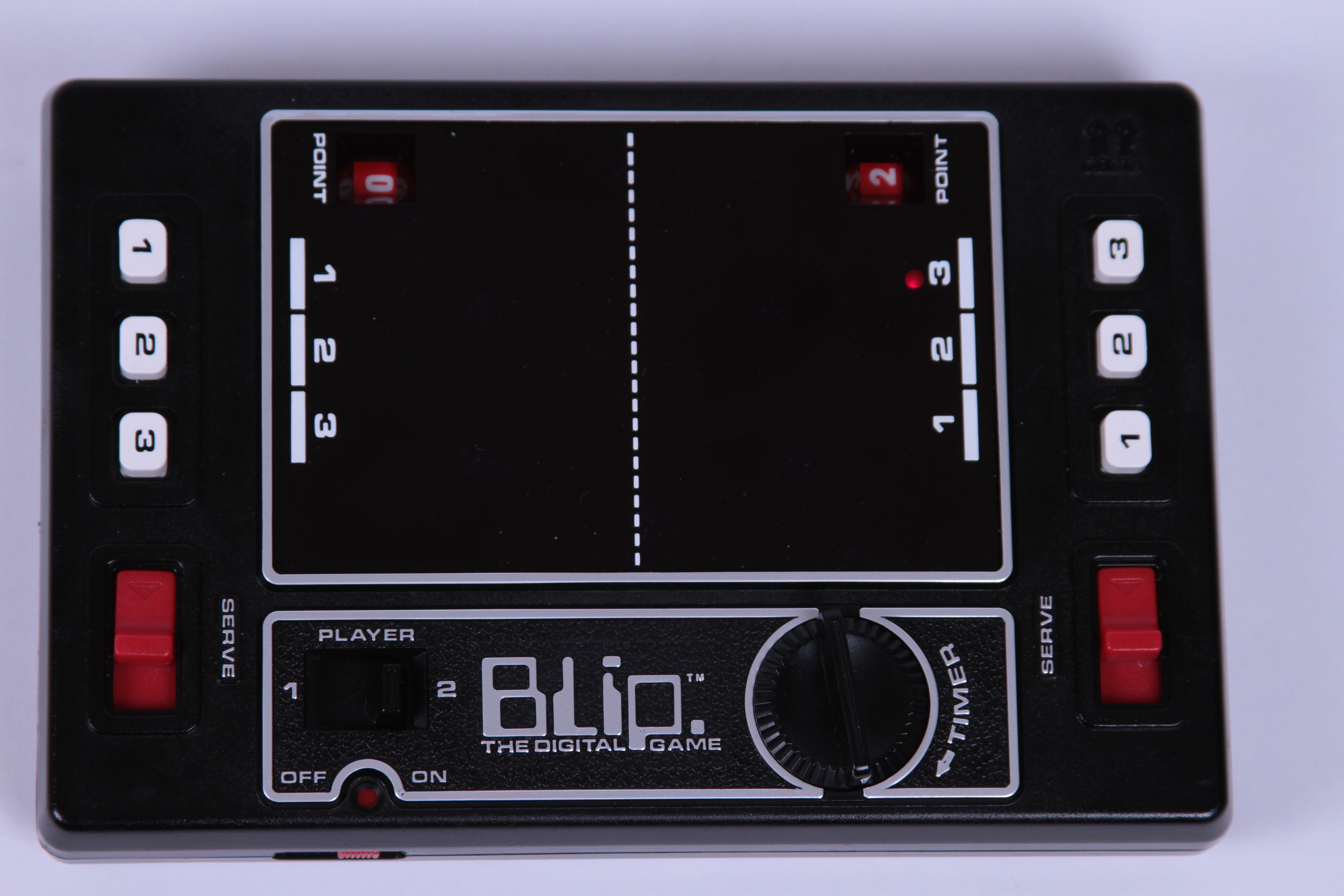
After our Tabletop Pong project, someone suggested that we should check out the Tomy Blip, a handheld game dating to 1977.
And so we did. We snagged one on eBay, and here it is: “Blip, the digital game.”
Blip is unlike any other handheld that I’ve played, and (as you’ll see) it’s quite a piece of engineering. In what follows, we give it a test drive, and then take it apart and see what makes it tick.
The best introduction to Blip that we’ve come across is the original television commercial. We’re embedding it here, but you can also view it at YouTube.
Blip was advertised as a portable digital electronic game; a go-anywhere version of Pong. The box bears this out as well:
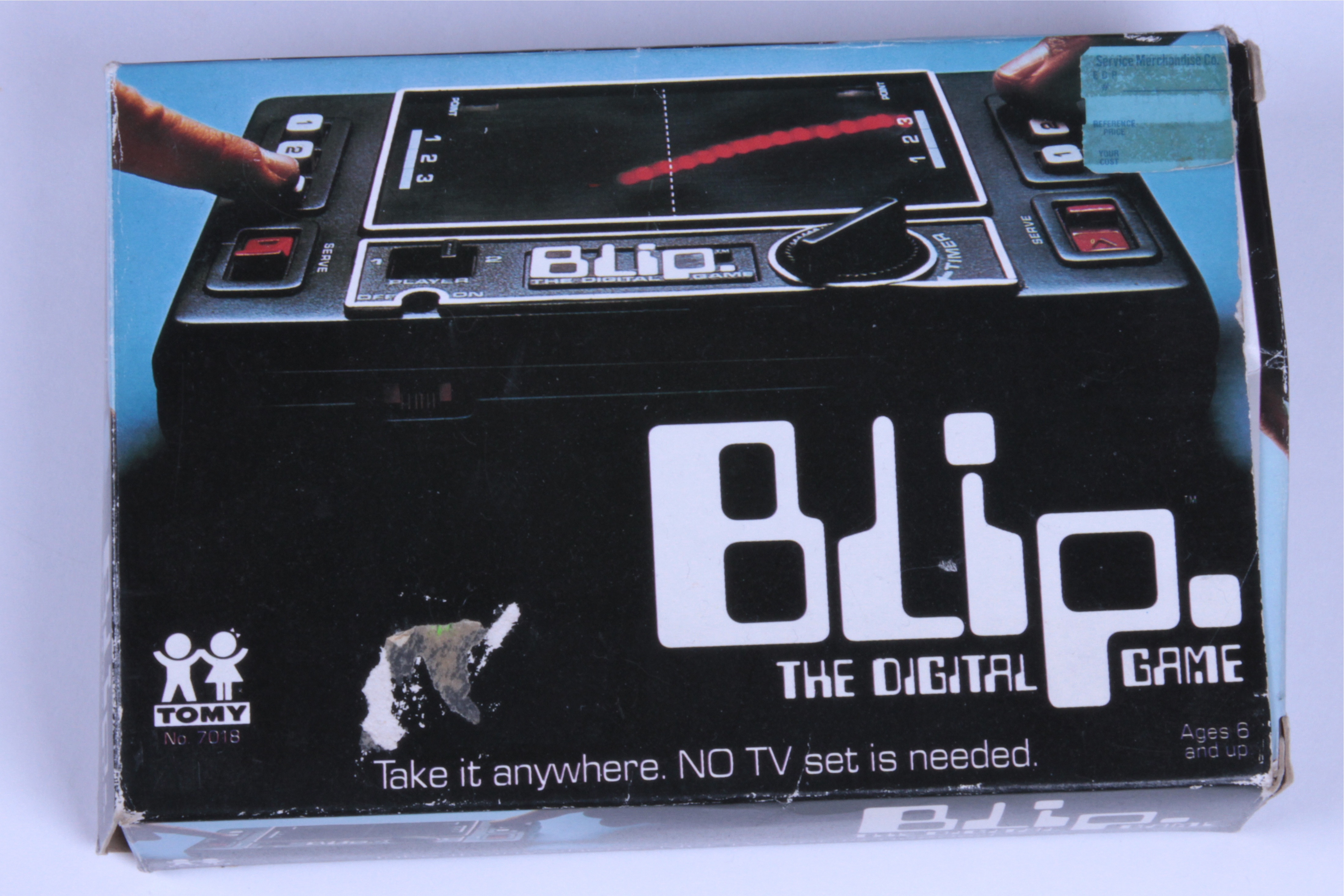
“NO TV set is needed.”
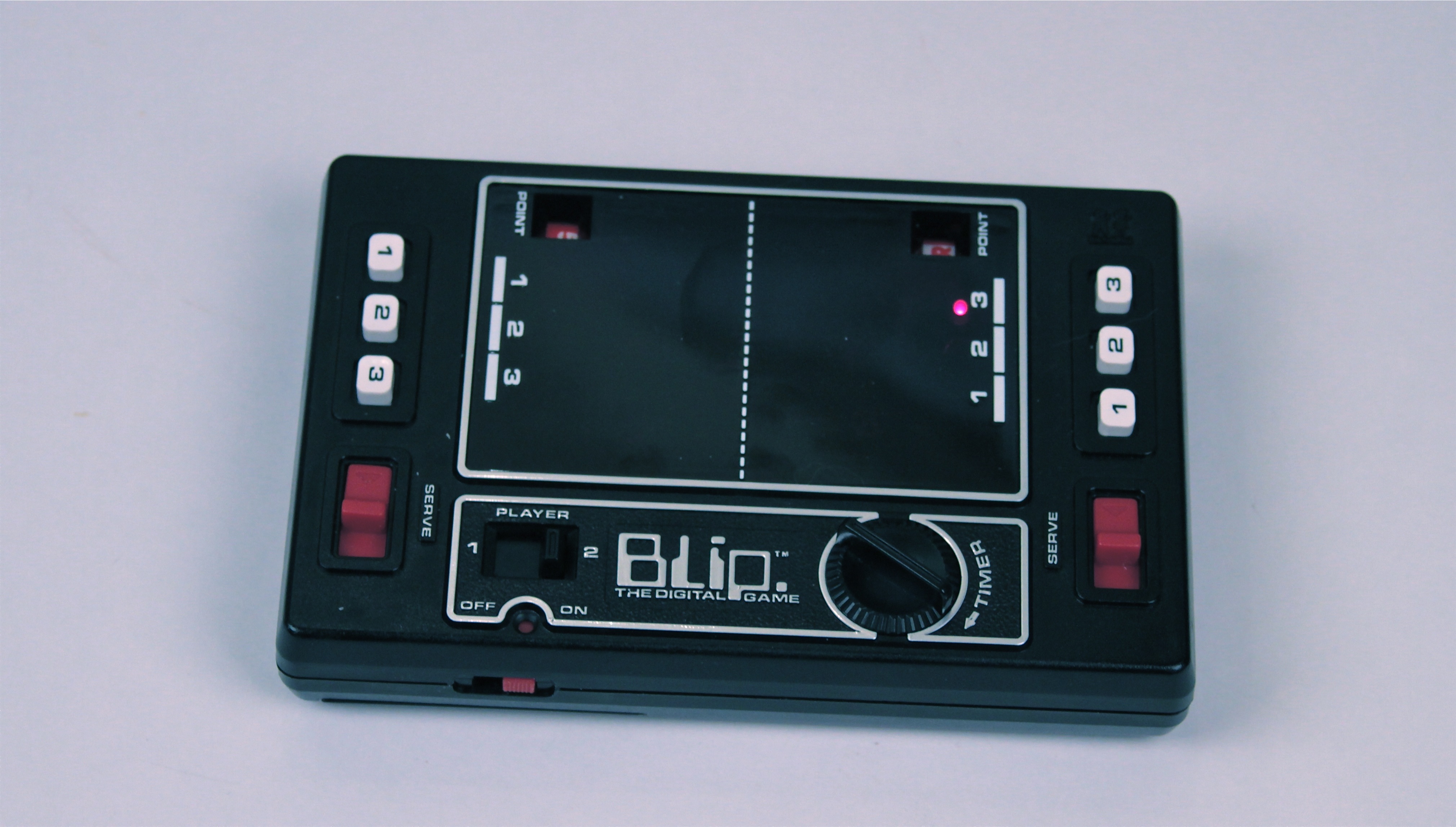
And here’s what it looks like in real life. It looks sharp. There are one-player (“Player against machine”) and two player modes– it sounds pretty advanced.
It turns out to be actually electronic, but only barely. Two AA cells are needed, and they have only a single purpose: to light the LED. The game itself is fully mechanical, and is (except for the LED) actually powered by turning the “timer” knob to wind up the main spring that runs the game. If you’ve ever played the game Perfection or used kitchen timers of similar vintage you’ll be intimately familiar with the noise that the mainspring-driven motor makes as it unwinds. It sounds distinctly non-electronic.
The only part of the game that’s remotely digital is the scoring, which is indeed digital: the score is recorded as a number. Of course, that means that it’s exactly as digital as foosball, or perhaps even golf or (genuine) tennis. The score is displayed on a pair of ratcheted wheels. Your score advances when the opposing player missed the “ball” and has to serve the ball back to you, and it is the action of them pressing the “serve” lever that causes your score to advance. We’ll come back to this later.
Playing the game is hard; We have a video a bit further down that will show you just how hard.
The ball wanders back and forth in an apparently random fashion, seemingly never in a straight line. As a player, you wait for the ball to be headed in your direction and then try to guess (“Anticipate” in the words of the instructions) where it will end up. Your only controls are the buttons labeled 1, 2, and 3. If you press the wrong one, the ball stops, and you need to serve the ball back to your opponent (giving them a point) by pressing the red “Serve” lever on your side. That’s it. No choice about where to send the ball to the other player, and it feelslike more of a game of chance than of skill.
Of course, we’ll have more fun taking it apart.
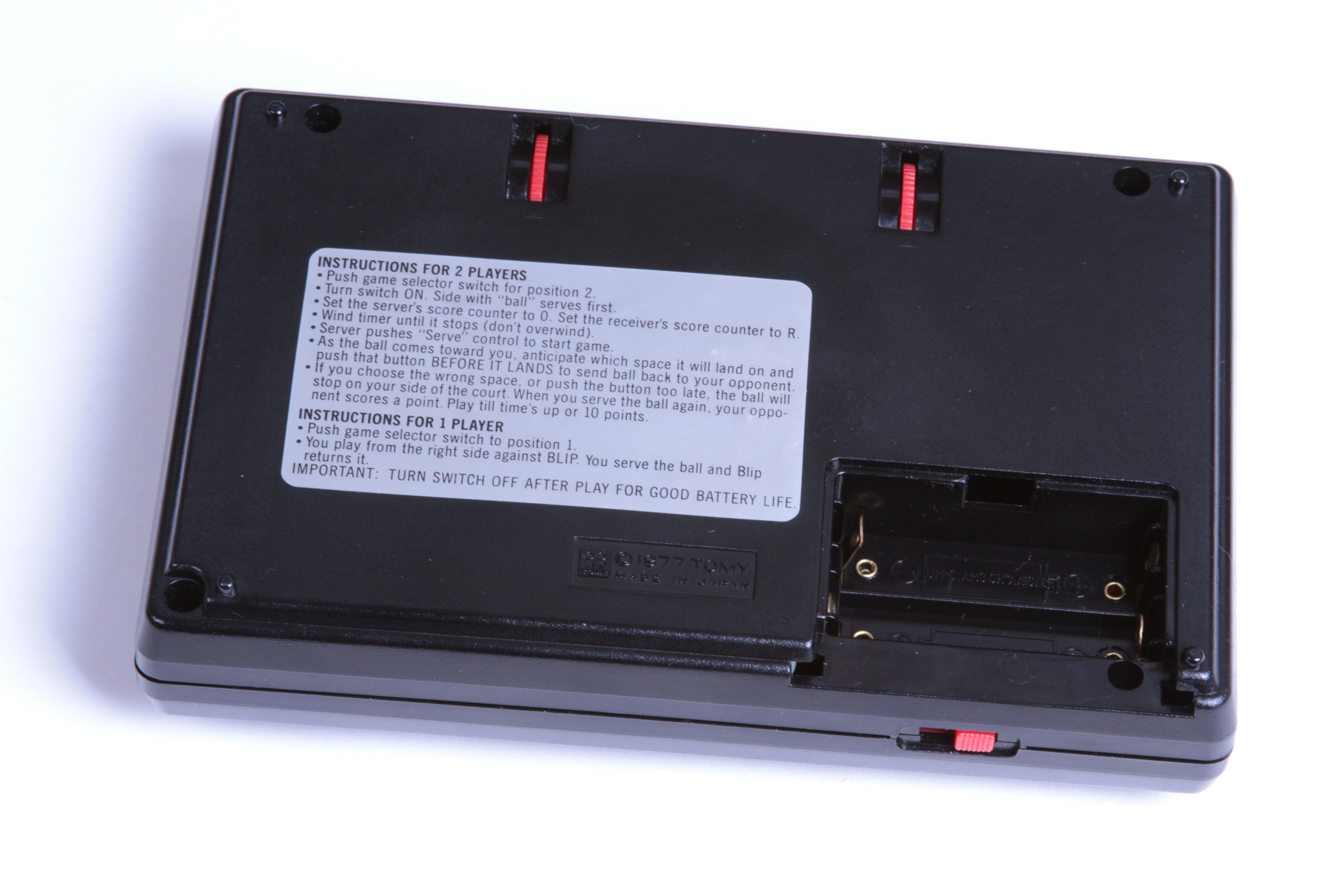
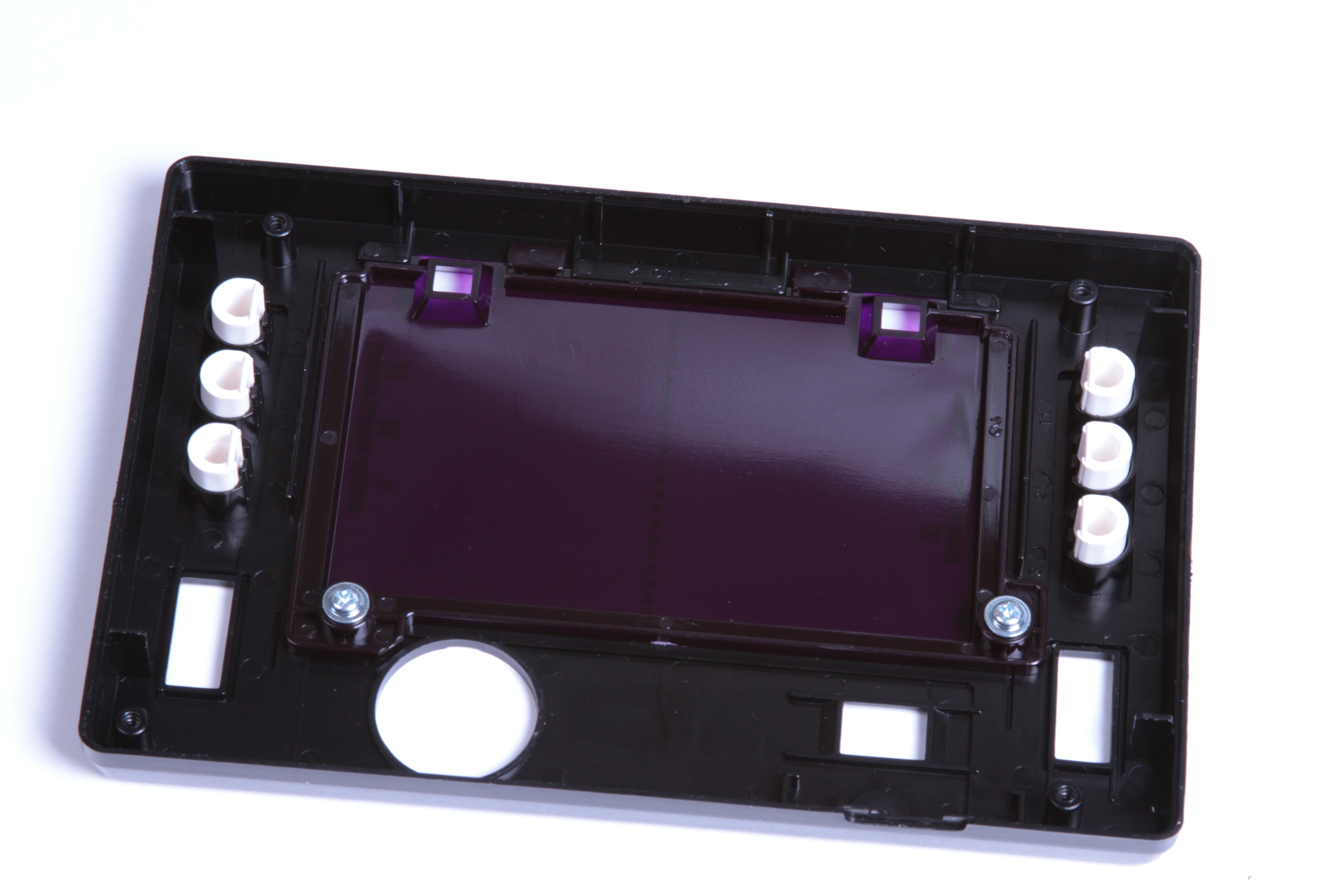
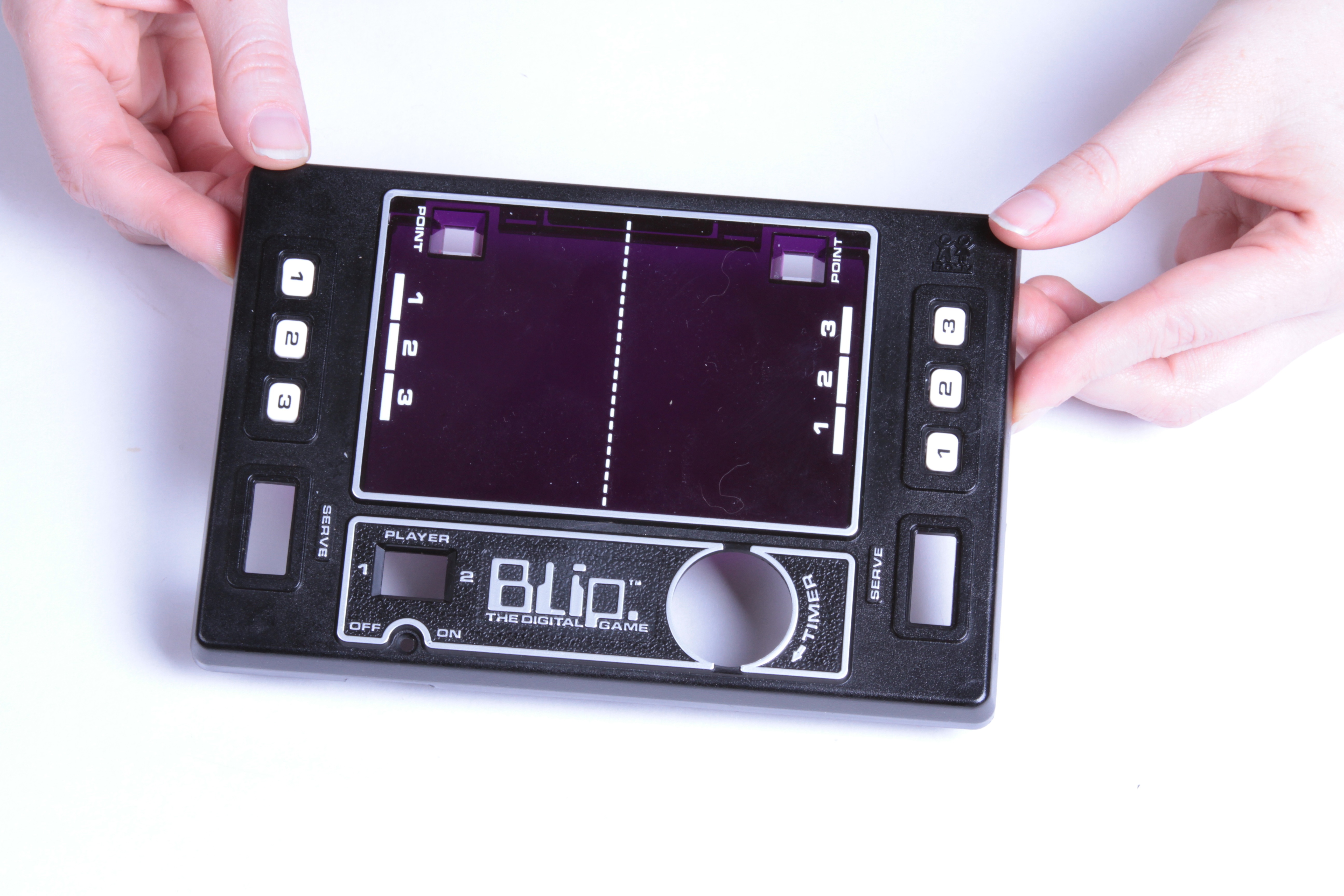
The front face comes of with four phillips head screws– a welcome difference from most toys these days. The face has a piece of dark red plastic to obscure the insides and three captured plastic buttons on each side.
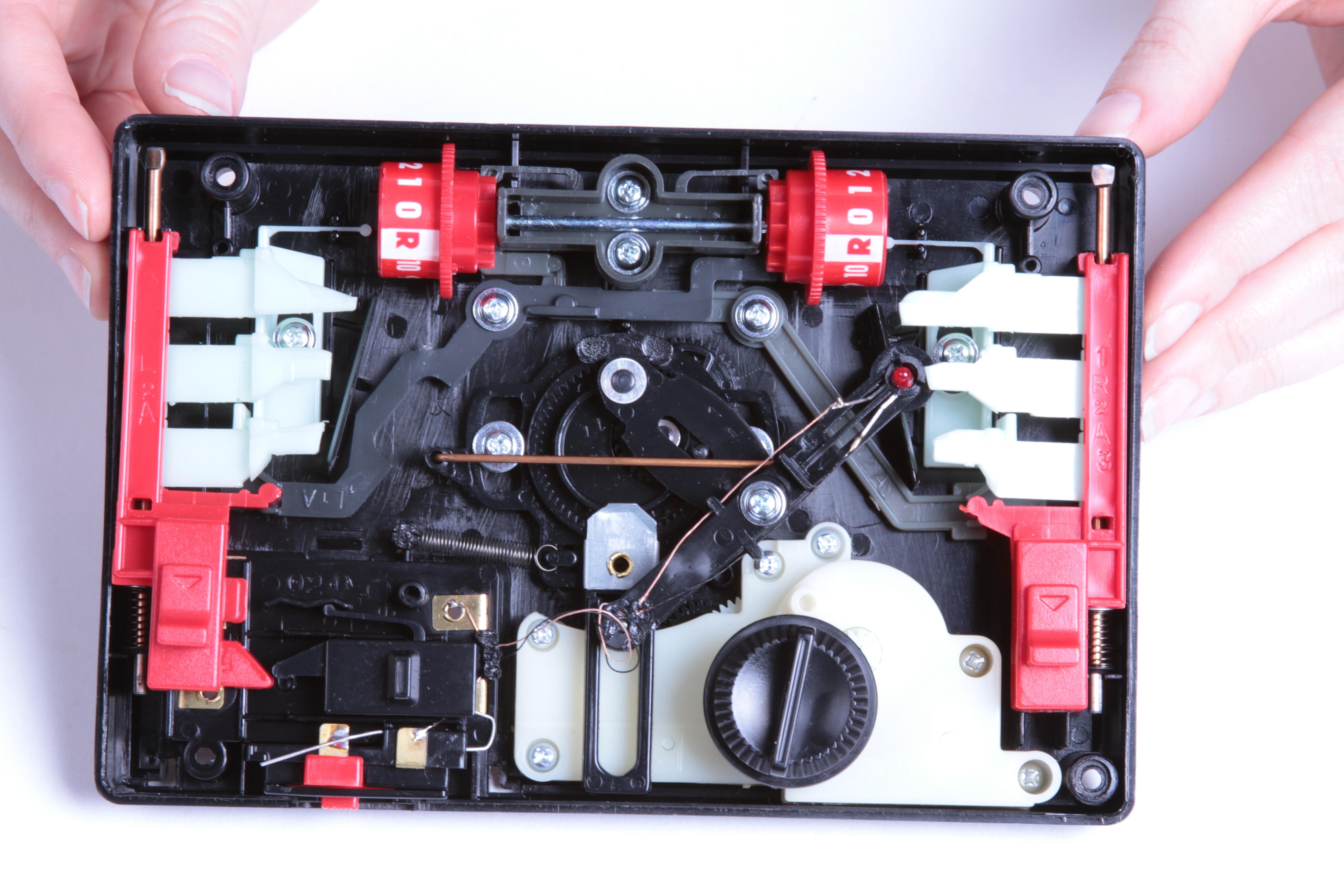
And then you look at the other side and… well… holy crap! (Click here to see that larger.)
Again, this game is almost entirely mechanical. The buttons on the left and right are not electronic buttons, but levers that mechanically stop the “ball” from traveling all the way to one side or the other. The ball is not the lit portion of a of a larger LED display, but is an individual LED on a moving arm that goes back and forth. The only electronic circuit consists of the two AA cells, one resistor, and that LED.
The mechanism that moves the LED back and forth is hard to see here, but it is described in detail in this patent which has drawings of the inner gears that you can’t see well in our photos.
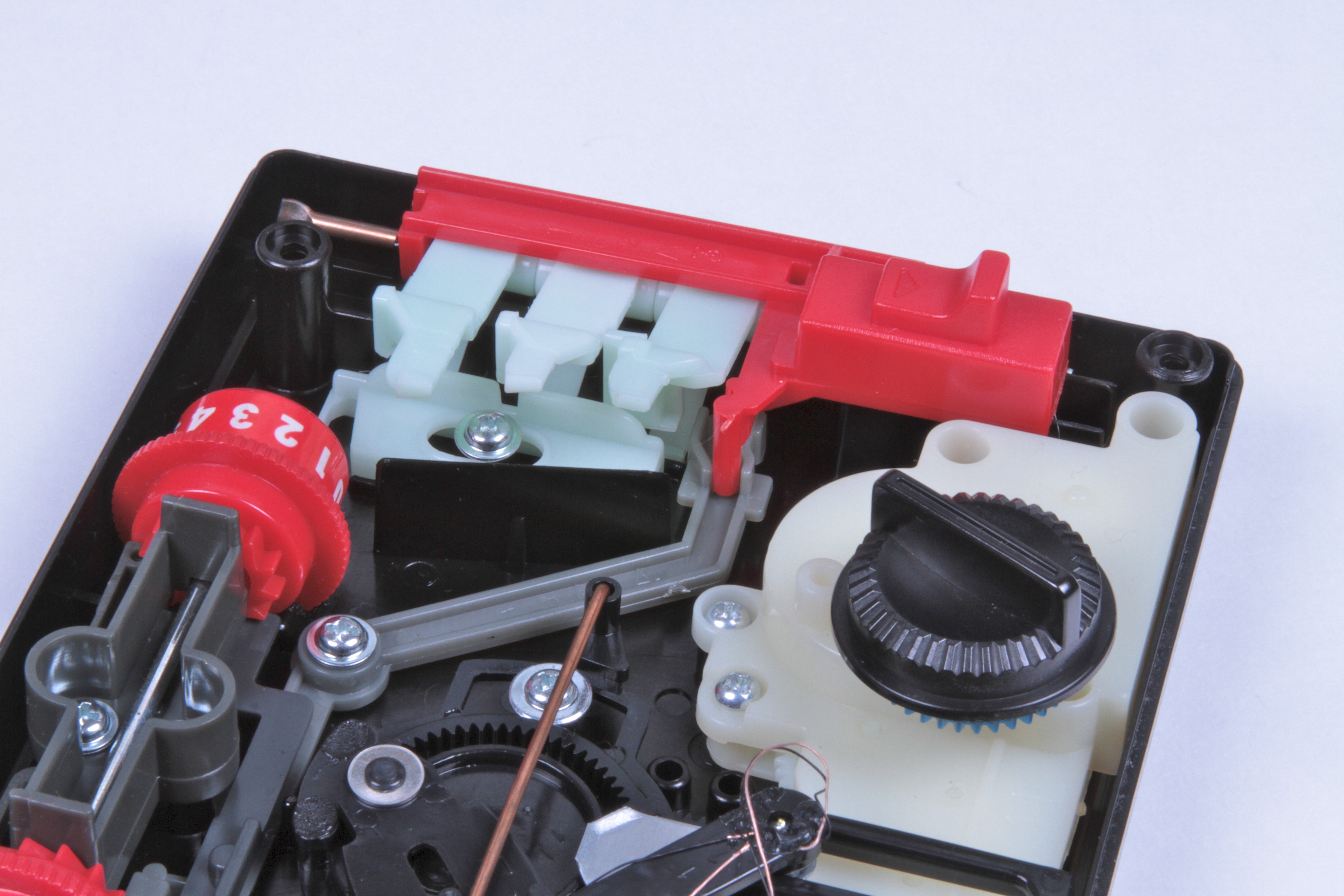
Here, you can see the levers beneath the right-hand side buttons. Normally the front face of the Blip pushes these down somewhat, so that they block the path of the “ball.” If you press one of the buttons, that causes the “ball” to miss the lever, and then go back to the other side. The red bracket over the top is the “serve” lever. It serves to dislodge the ball if it gets stuck, by moving all of the levers out of the way of the ball. If you hold this lever down continuously, you will never miss the ball. (That technique is demonstrated in this video.)
You can also see that the serve lever hooks into a grey lever down below. When you pull the serve lever down, this grey lever ratchets the opponents score up by one.
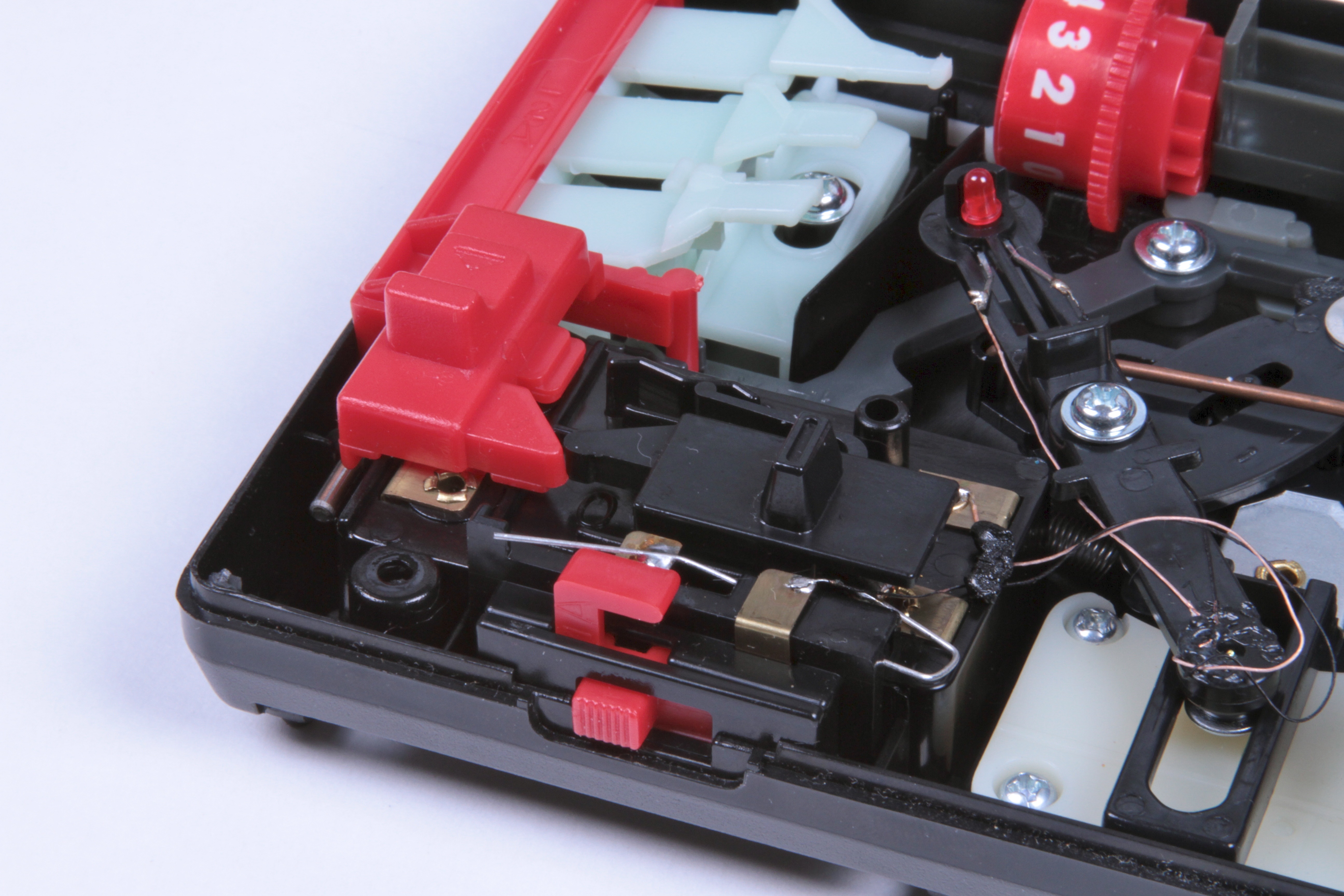
On the left-hand side of the game is a black lever that switches between one-person and two-person play. If you look closely, you’ll see that it works by effectively holding down the serve lever for the left-hand player. (Human plays on the right side.) This means that it uses the same “cheat” that we just mentioned– and also that the computer never loses. Ouch.
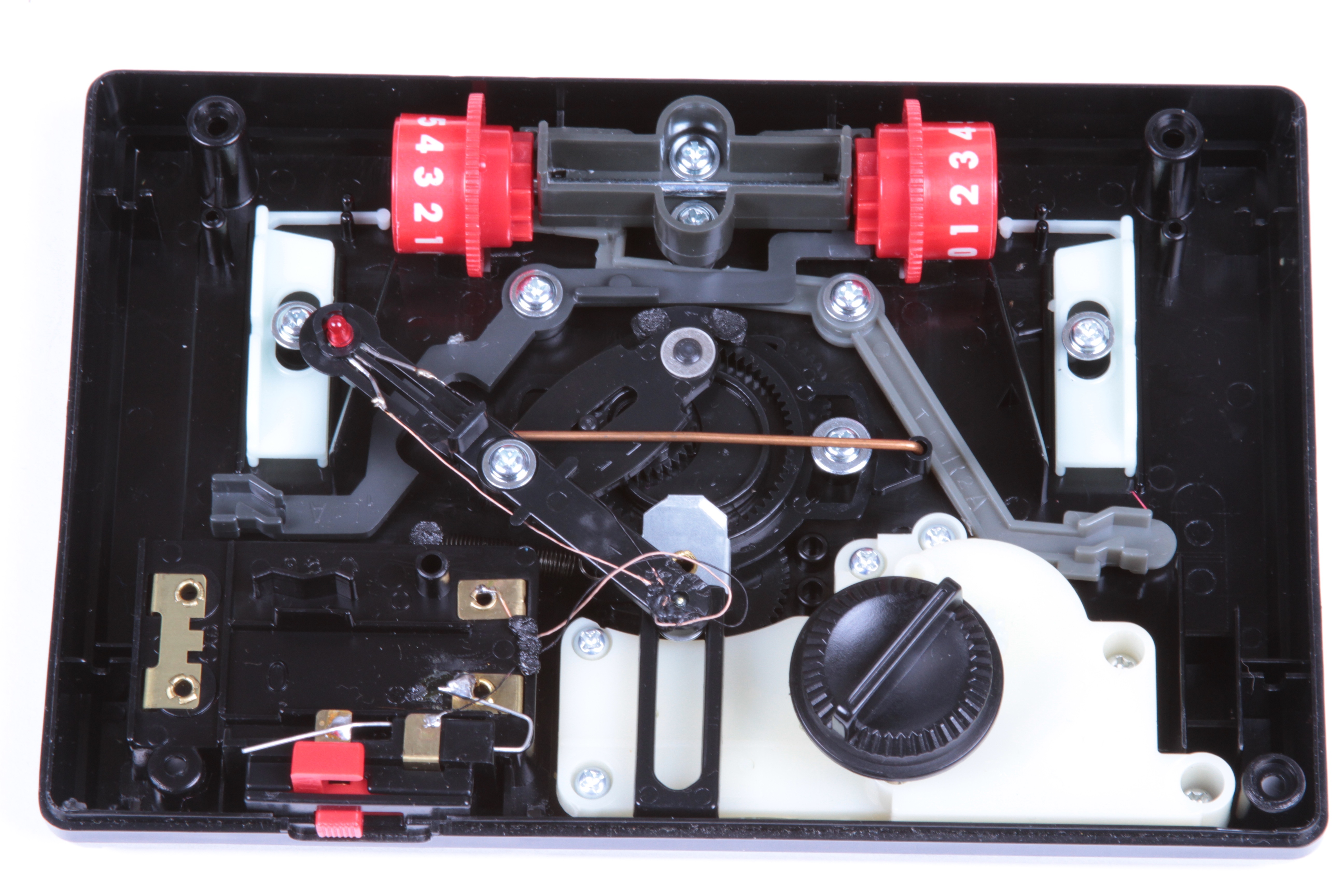
With the 1, 2, and 3 buttons and the serve levers removed, you can see the two levers (black and gray) that are used for the automatic digital scoring.
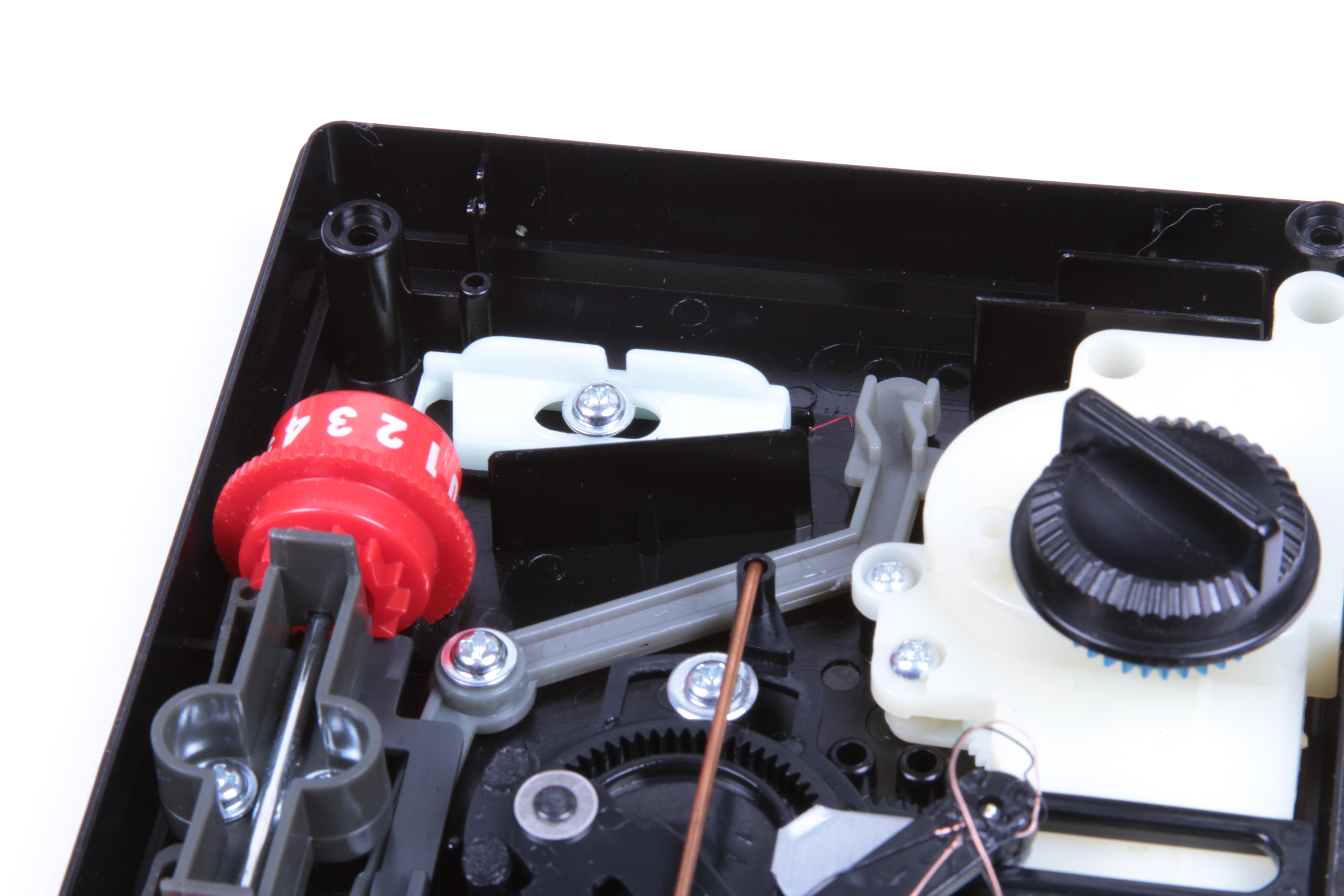
The little sliding bracket on the upper left sits beneath the buttons, and provides sequencing. If you press any of the three buttons, this bracket prevents you from fully depressing either of the other two. It’s spring-loaded to return to the center position, and the spring mechanism too is clever– just an extended arm of this bracket flexes to hold it in place by spring action, as visible in the previous photo.
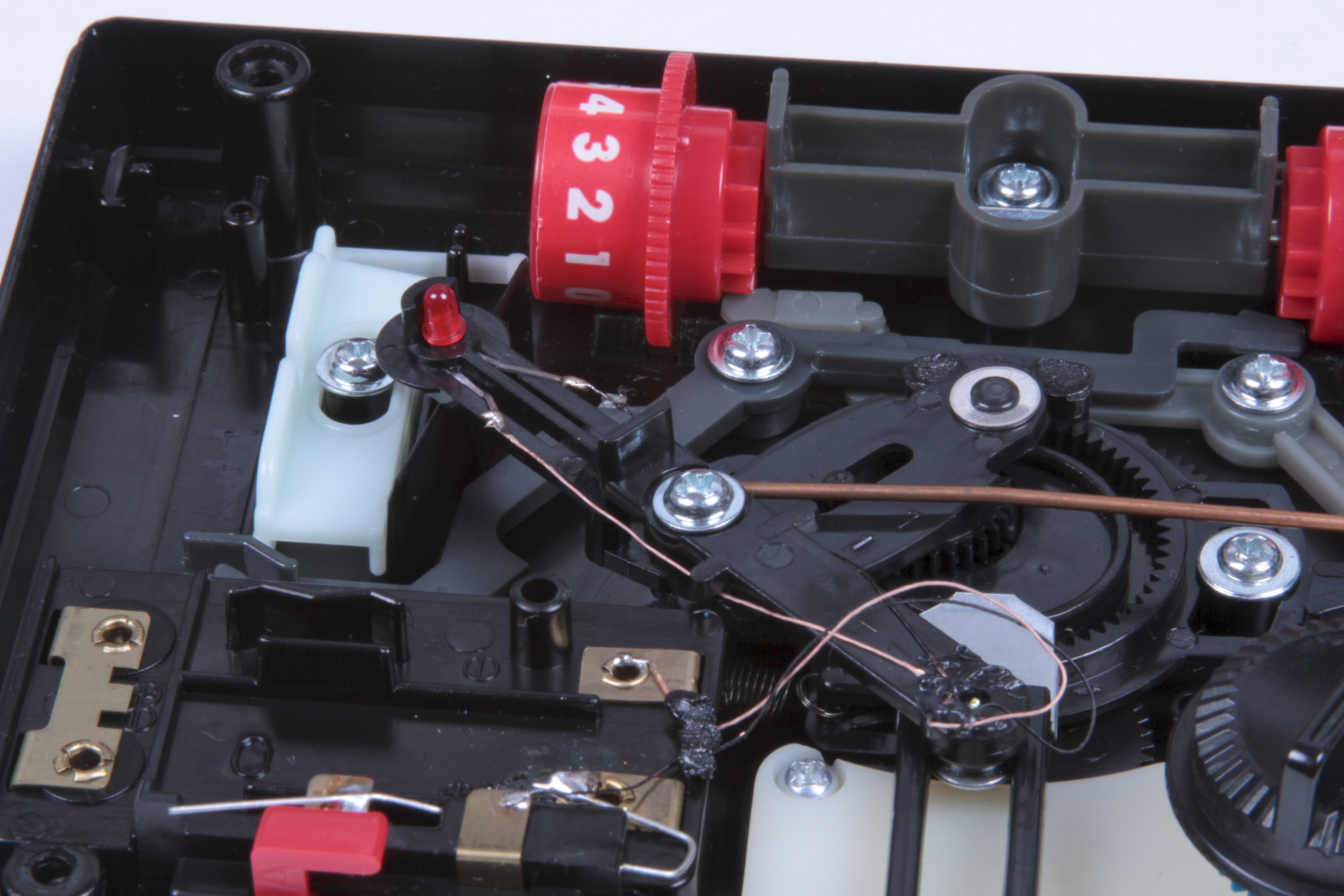
The electrical feedthrough to the moving LED is a simple pair of flexible wire leads. These are thin and could be genuine wire-wrap wire. They’re held down by a couple of strategically placed blobs of plastic.
The mechanism and style of motion– a bit like planetary orbits –are a little hard to understand from the still photos. The purpose is to create a sort of mechanical pseudorandom motion generator, and it succeeds somewhat, in so far as the game is difficult to play or guess where the ball is headed.
To help out with that visualization, we’ve put together a little video that shows off the gameplay (such as it is) and then, after taking the cover off, shows the magical workings of this nifty little mechanism. The video is embedded below, or you can click here to see it at YouTube.

Beautiful!
TOMY is the source of so many amazing items.
This made me wonder if you’ve ever seen "Where the Toys Come From," a Disney "documentary" that shows the inner workings of the Tomy factory. Well worth Netflixing!
-Tom Angleberger
Love your website! I would have liked to get a better view of that planetary gear/wheel thing that makes up the psuedo random-ness of Blip in the video. Pretty clever design for a time when that LED may have been almost half the cost of producing the silly thing. :D
I can still recall the ride home from Toys R Us after getting BLIP! for my birthday in ’77 .. I fondly remeber playing it with my sisters in the backseat of the car on the ride home, Once you got used to it, it actually wasn’t hard to play.. Wonder where that toy is now .. Have to go look in my parents attic .. Thanks for the bit of fond nostalgia and re-awaking some old pleasant memories..
I had a Blip as a kid. I always wondered how it worked. Thanks for the glimpse inside!
I’ve got that, and I’ve even been inside it once to repair it. One of the gearings had slipped, which rendered it almost unplayable (it would stick). It still works, and it resides on my shelf of video games.
I found one of these at a garage sale when I was 10 years old. After playing it once with my sister I immediately took it apart to see how it worked. Great article.
Great tear down, haven’t seen that game before, very cool! I definitely would have taken it apart if I’d had one as a kid.
Well matched music for your vid, too — what is it?
Cheers,
ao [ http://www.technoetc.net/blog ]
Another childhood mystery solved by the Evil Mad Scientist. We, too, had a Blip when I was a kid, and I thought about taking it apart, but was afraid that I couldn’t get it back together. Anyway, thanks for taking the time to share this information which us.
Cool! After playing with that "ball" mechanism do you think the pattern is deterministic? It’d be pretty rad to play a perfect game of Blip!
I recall the pattern was deterministic, and it didn’t take many games to get a feel for the pattern.
I had one also and determined it had about 35-40 move cycle. made it easy to play. :)
I remember having a go on a friend’s. Looking back at one now after all the modern electronics and computery, mechanical boxes like this seem magical. I hope the art never dies.
wbdeejay
I agree. This reminds me of when I opened an old VCR when I was younger. Although I’m an electrical engineer now, I’m amazed at some of the things mechanical guys have come up with!
I remember having one of these in the early 80’s, and taking it apart. I remember how much fun it was looking at the mechanics of how it worked, unfortunately I couldn’t blog about it back then !!
you guys nees to re-purpose this thing into a LED spirograph
then take timed exposures of them… post them for great success…
-Ben
^This
You missed one of the ways in which the Blip truly was digital: it was played by pressing buttons with the fingers, aka digitally, in the root sense of the term.
You can be reasonably sure some legal mind at Tomy was aware of that literalism, too!
Hey I’m the one that posted the comment about Blip in the Tabletop Pong comments (I was anonymous back then). It’s nice to see a whole article (with video) being created because of my comment :)
I still haven’t gone around fixing the LED in my Blip machine (I guess one of those thin wires got disconnected).
While you’re at it, you might also want to take apart other electro-mechanical games from Tomy. The Tomy Atomic Pinball also has a very interesting mechanism inside and runs from a single motor and several gears (I took apart mine when I was younger and never put it back in one piece, fortunately I bought one in a flea market more recently).
And as I mentioned in my other comment, the Armatron (sold under the Radio-Shack brand in north-america) is another Tomy toy that would make a great "take-apart" article, with its mechanical joysticks and gears controlling a robotic arm from a single motor.
I received a Blip for christmas as a child, and enjoyed it very much. However, after playing so many times, it dawned on me that it was repeating a very long sequence – first going to slot 1, then 3, then 2, (as an example, I don’t remember the sequence now) in a certain order for somewhere around 50 to 100 numbers, and then repeating itself. memorize the sequence, and you could play Blip perfectly as long as you wanted to. Then I lost interest and, as with most electronic games I received, I took it apart to see what was inside.
Check out these video, which covers a lot of the same mechanical computer ideas, but from the perspective of navy fire control comoputers from the 1950s:
http://www.eugeneleeslover.com/VIDEOS/fire_control_computer_1.html
http://www.eugeneleeslover.com/VIDEOS/fire_control_computer_2.html
Had one as a kid, remember it quite fondly! Another "cheat" – if you just nudged the serve button ever so slowly, you could fire off the ball WITHOUT incrementing your opponent’s score! Great article, thanks for the memory-jog!
"Take it anywhere" – except the beach. I still remember making the discovery that complicated plastic gears plus sand is not a happy combination.
I remember showing this game off to people and telling them that the only thing "digital" about it was the on/off switch to turn on the LED.