Category Archives: EMSL Projects

Basic kludges: 5 minute SOIC-DIP adapter

Socket Adapter - 5

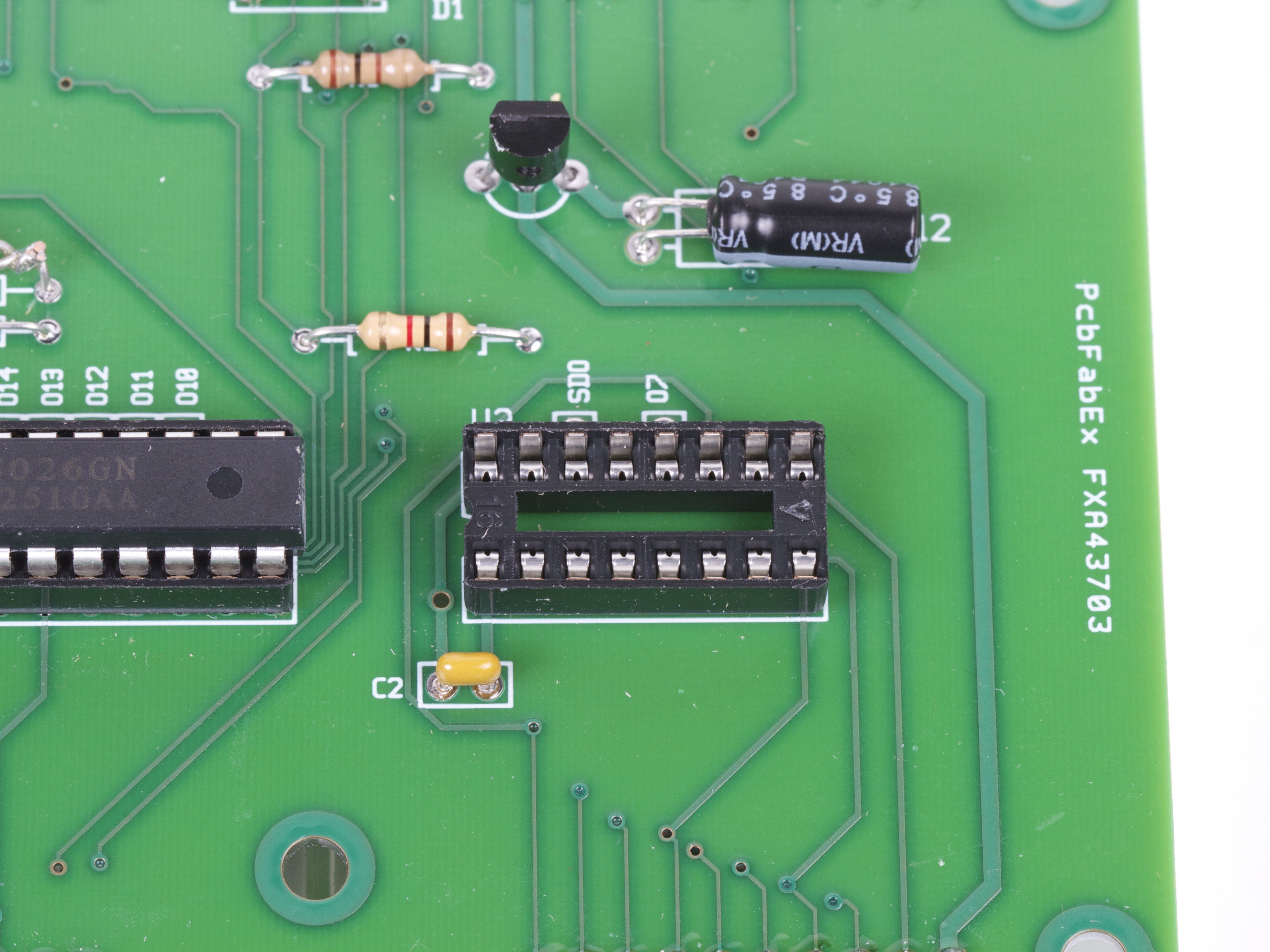
So, you’re almost done building the new circuit board when suddenly…

Socket Adapter - 7

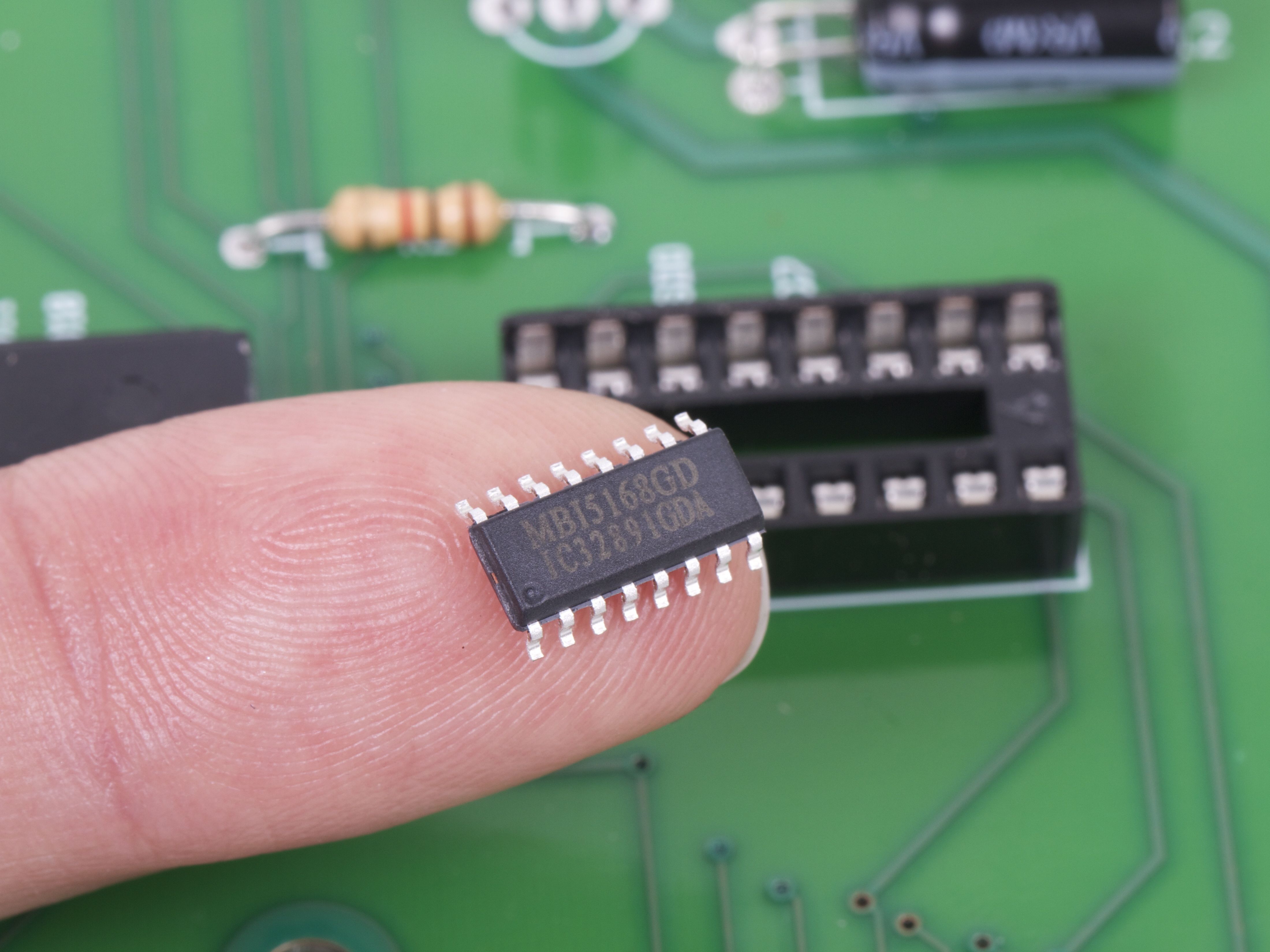
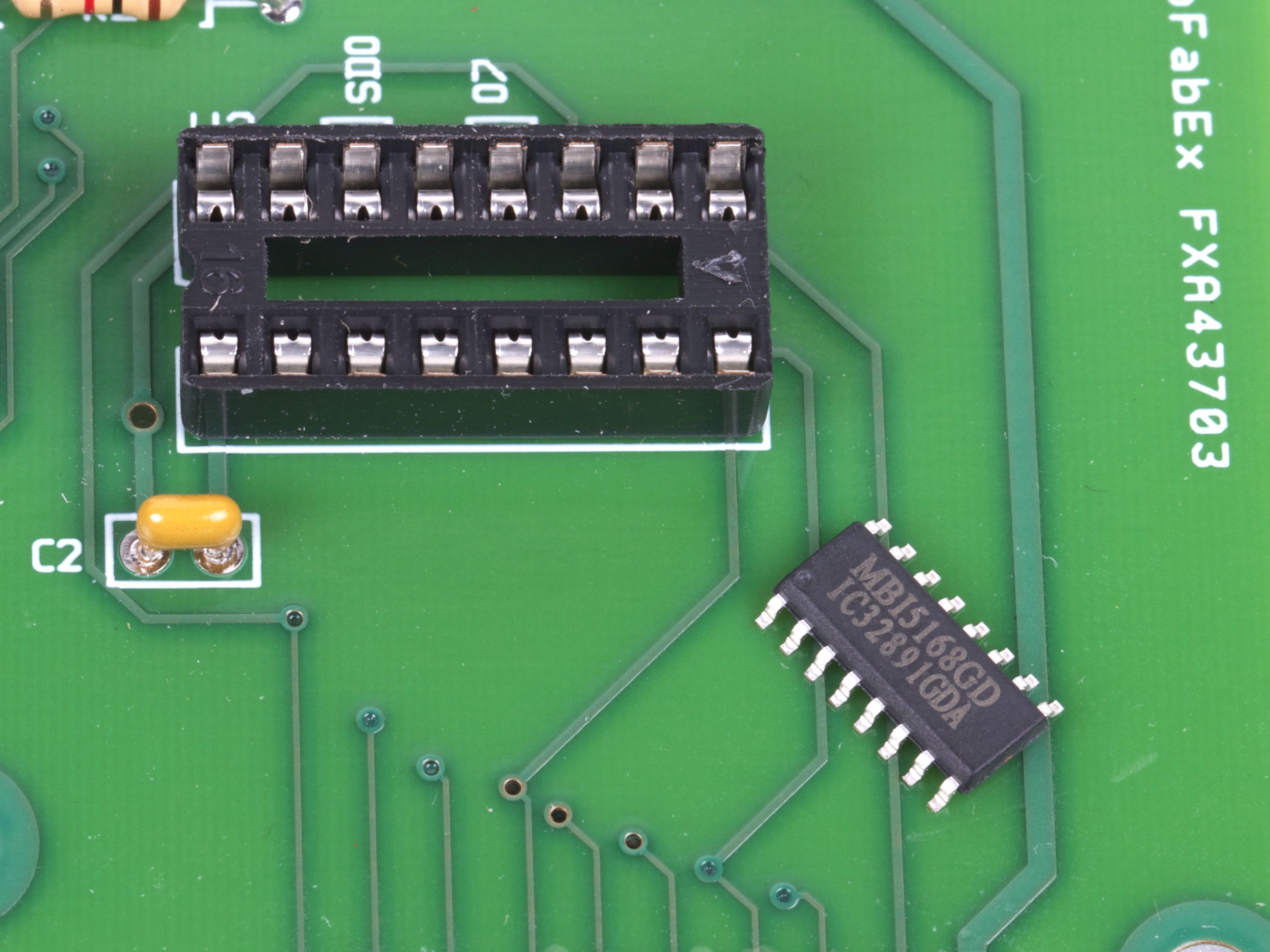
Doh! We’ve got the right chip handy, but only in the wrong package!
Socket Adapter - 6

No siree, that chip will not fit in our socket. :(
Socket Adapter - 2

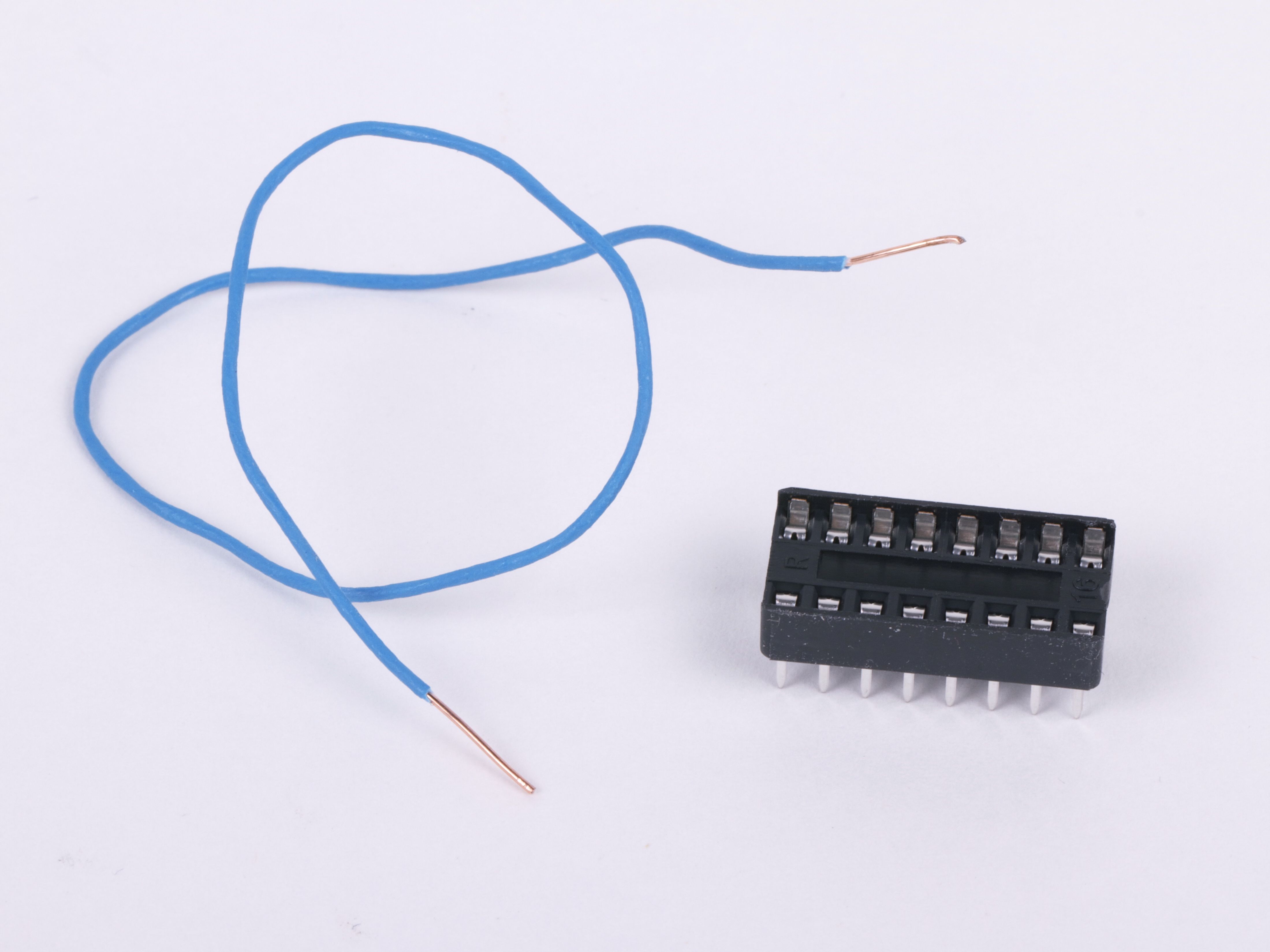
Fortunately, we’ve got tools: some thin copper wire, a spare DIP socket, and a few minutes of time. So, even without a readymade SOIC-to-DIP adapter, we’re still good to go.
Socket Adapter - 4

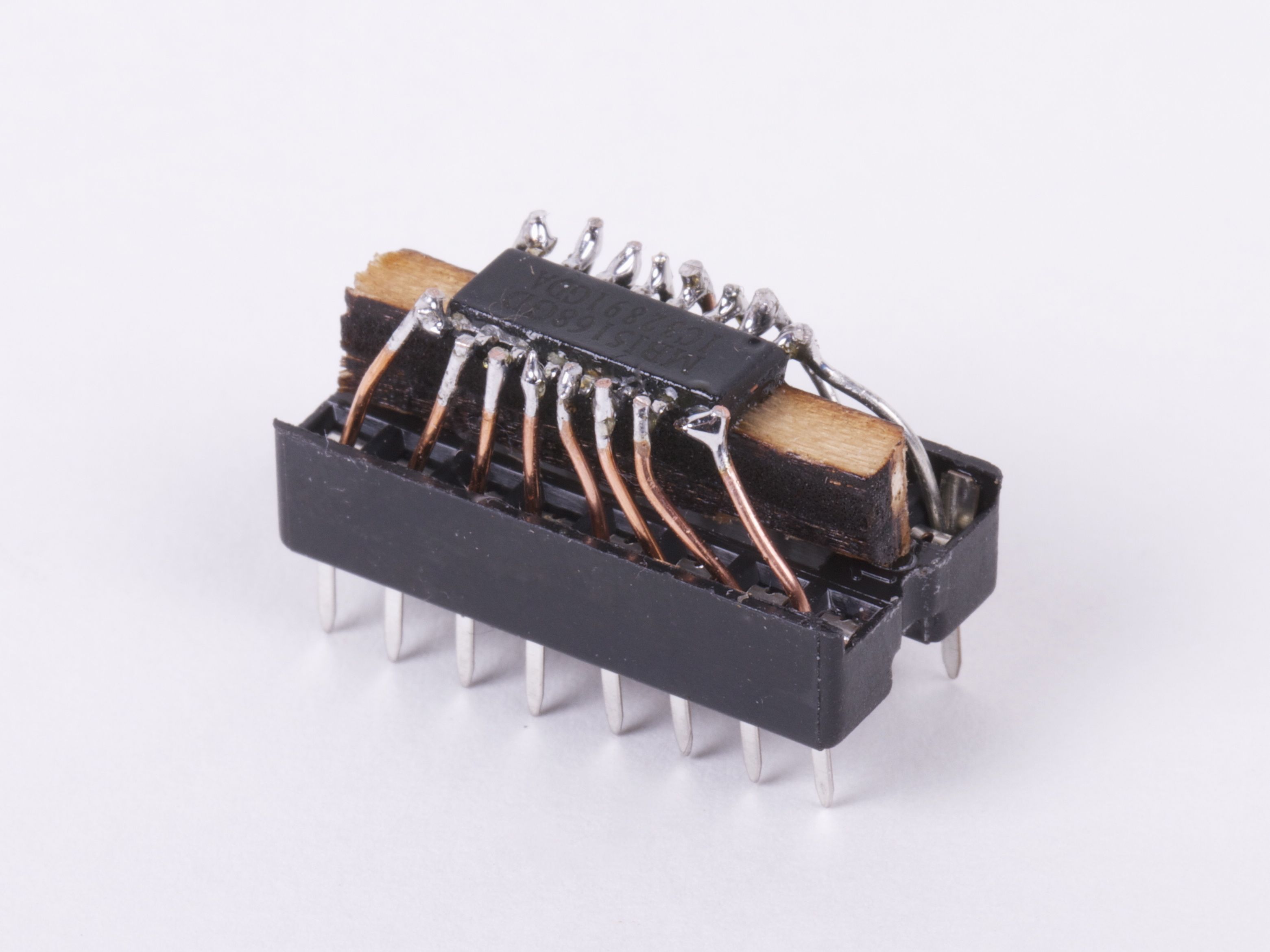
It’s helpful to raise the little chip up a bit with a wood or plastic shim, and then to fix it in place with hot or super glue. Strip the insulation off of the wire, and cut into small sections. Starting at the center of the chip, insert one end of each little wire into the socket and solder the other end to the matching pin of the IC. Trim the leads just above the chip.
Socket Adapter - 8

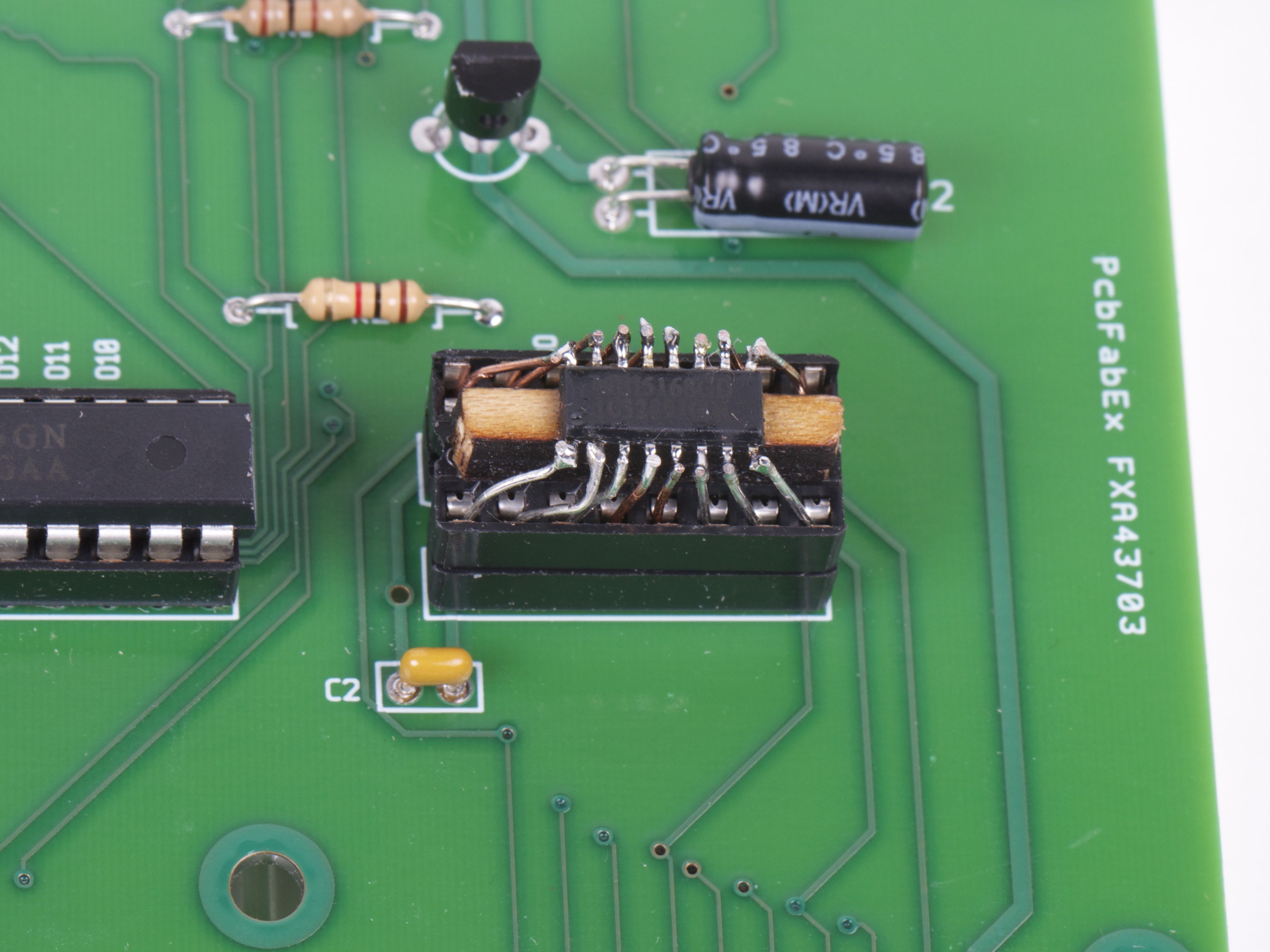
And (poof!) it fits in the circuit board after all.

Beautiful? Heck no. (More like slimy but satisfying.) But finding a way to get your circuit board to light up without a few more days for the “right” chip to show up can be a wonderful thing indeed.

East Bay Mini Maker Faire

IMG_1669


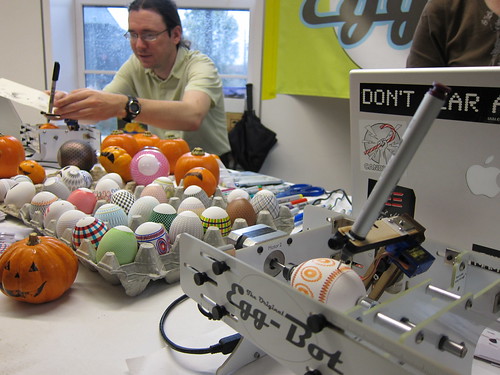
We’re headed to the East Bay Mini Maker Faire this Sunday, October 16th at the Park Day School in Oakland. And we have a discount code for you! Enter EGGBOT to get 15% off tickets purchased online.

We had a great time last year, and are excited to be taking the Eggbot back for more fun. We’re also bringing along the Ostrich Eggbot, which can fit even larger pumpkins. The lineup of makers for the event looks great, and the schedule includes an all-star cast of presenters, lots of workshops, and three music stages. Hope to see you there!


Photo by smerlo03 on flickr under cc-by-nc license.

Halloween Projects from Evil Mad Scientist Laboratories

The Great Evil Mad Scientist Laboratories Halloween Project Archive!

Halloween is one of our favorite holidays, and our collection of Halloween projects continues to grow. Every fall we update it to include our latest projects for the season. In the list that follows, we’ve organized dozens of our Halloween projects into categories: costumes, pumpkins, decor and food.

Last updated: 10/2019.

Continue reading Halloween Projects from Evil Mad Scientist Laboratories

Eggbot in Cairo at Maker Faire Africa

This awesome picture of Manal holding an Eggbotted egg she has embellished comes to us straight from Bilal in Cairo!

We sent an Eggbot along with our friend Bilal Ghalib to Maker Faire Africa and the 3-day Egyptian Maker Space, which were presented by GEMSI (the Global Entrepreneurship and Maker Space Initiative), and the Cairo Hacker Space.

You can find more about their adventures on twitter by following Bilal and Maker Faire Africa.

Improving open source hardware: Visual diffs

pcbdiff

As the open source hardware movement matures, it’s worth taking a moment to consider the issue of version control.

Collaborative software projects make heavy use of version control– tools like Subversion and Git, and project hosting sites like SourceForge, GitHub, and Google Code –to organize and manage the contributions of many developers to a project. But as we begin to consider open source hardware, can we use these same tools and sites for effective collaboration on hardware projects?

The short answer is, “yes”– after all, people are already doing it. But the reality is that we could do much, much better. Some people think that we do need a separate “SourceForge for hardware.” That’s hard to say. But it is the case– perhaps against conventional wisdom –that existing tools can be used, today, for meaningful hardware version control.

It’s certainly possible to take any old binary file (say from a CAD program), and store it in a version control system. This is, in fact, how many of today’s open source hardware projects are managed. However, a “diff” (direct file comparison) to see what’s changed between two versions of a given file is all but meaningless.

For design files in plain-text (“ascii”) file formats, such as Inkscape‘s SVG or KiCad‘s .brd, a diff is possible and is in principle meaningful, but it is usually all but useless in practice, because CAD is a graphical sport, and we need to treat it like graphics.

An example: Suppose that you found the following snippet in the difference between two SVG files:

 <path
       sodipodi:type="arc"
       style="fill:#ff00ff;fill-opacity:1;stroke:#ffa6a6;stroke-width:0.18000001;stroke-linecap:round;stroke-linejoin:round;stroke-miterlimit:4;stroke-opacity:1;stroke-dasharray:none;stroke-dashoffset:0"
       id="path2816"
       sodipodi:cx="237.14285"
       sodipodi:cy="328.07648"
       sodipodi:rx="160"
       sodipodi:ry="84.285713"
       d="m 397.14285,328.07648 a 160,84.285713 0 1 1 -319.999997,0 160,84.285713 0 1 1 319.999997,0 z" />

You probably wouldn’t recognize that (at least not quickly) as a big magenta ellipse. While it’s perfectly legible as source code, a diff result like this would be all but useless in practice.

The obvious solution, is to add in some visual diffs in order to make sense of changes between design files. On the bright side, making these is remarkably straightforward, and– with a little bit of effort –practically supported by existing version control systems.

In what follows, we’ll walk through some examples of visual diffs– with bitmaps and PDF files –and discuss what you can do to help make version control work better for CAD files, and to make CAD files better for version control.

Continue reading Improving open source hardware: Visual diffs

Maker Faire NY 2011 and the Digi-Comp II

mfny

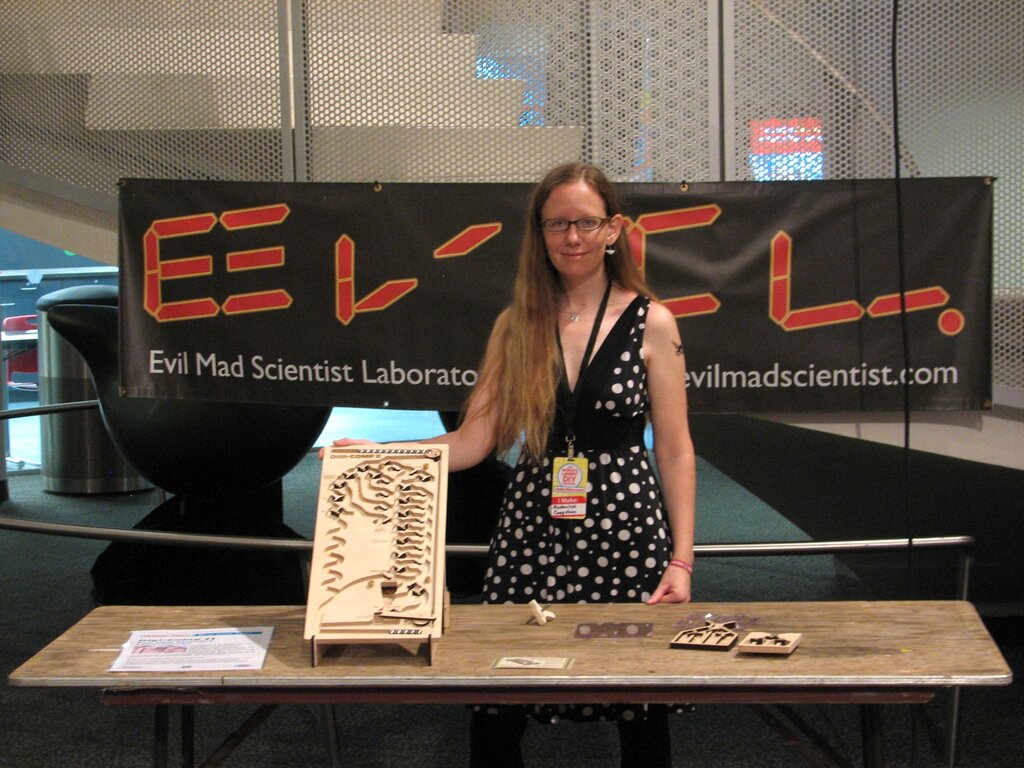
Lenore with the Digi-Comp II prototype

We’re here in New York for the 2011 Maker Faire New York (the “World Maker Faire”), held for the second year at the– absolutely fantastic —New York Hall of Science.

This weekend, we’ll be showing off an all-new prototype version of the Digi-Comp II. Back in May, at the Bay Area Maker Faire, we showed off a giant-scale version of the Digi-Comp II, documented here on our blog both in photos and with video.

Our new prototype is at the scale of the original (mid 1960’s) Digi-Comp II, which used half-inch diameter glass marbles. Rather than marbles, we’ve opted for half-inch diameter chrome steel balls–miniature pinballs or overgrown pachinko balls, depending on your perspective. The original machine was made of thin vacuum-formed plastic, supported by a sheet of masonite and fitted with injection-molded flip-flops and switches. While our final version will be fabricated from (very sturdy) vacuum-formed plastic, we’re currently in a phase of functional testing, using CNC-machined wooden versions.

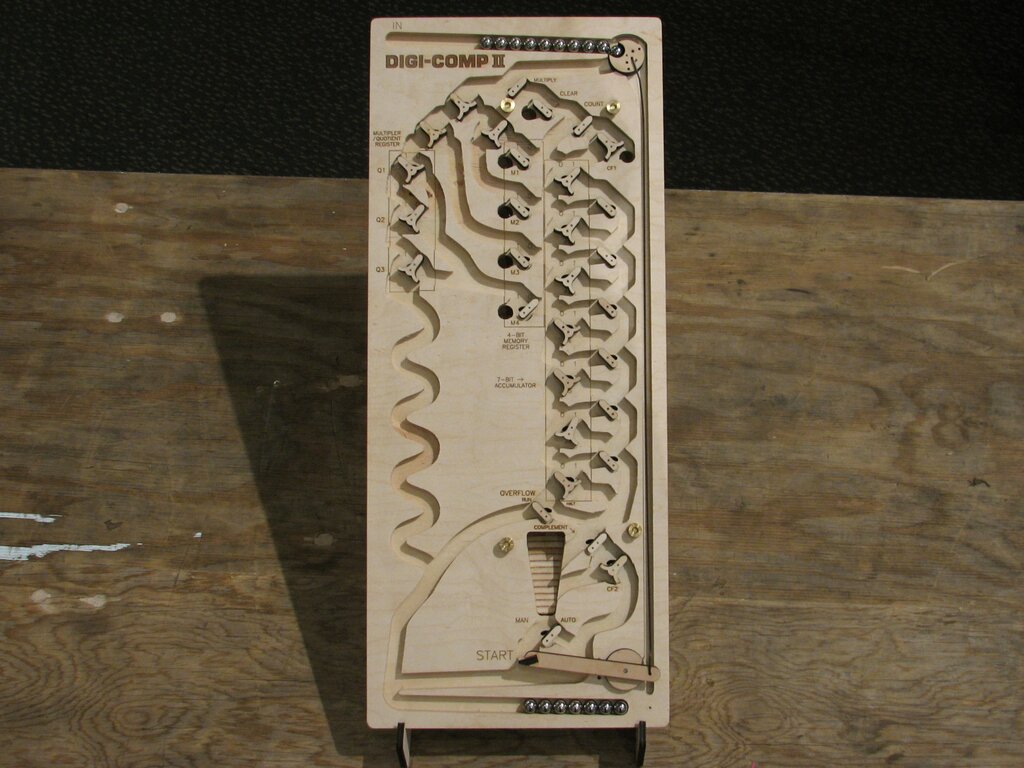
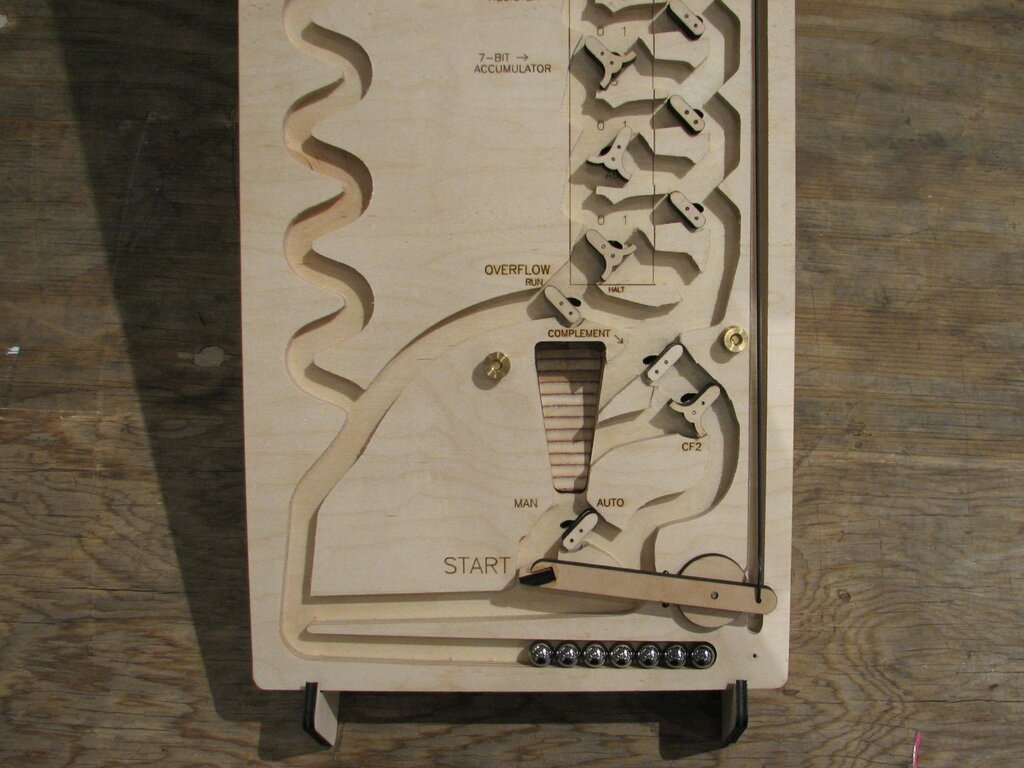
Digi-Comp II (wooden prototype)-- overview

Here is what the whole machine looks like. Despite using the same size ball, the overall size is a bit smaller than the original: 10×24″ versus 14×28.5″. From testing, it’s clear that there are some places that a little more vertical room would make for a more user-friendly design, so it is likely that our final version will be closer to 25-26″ in length.


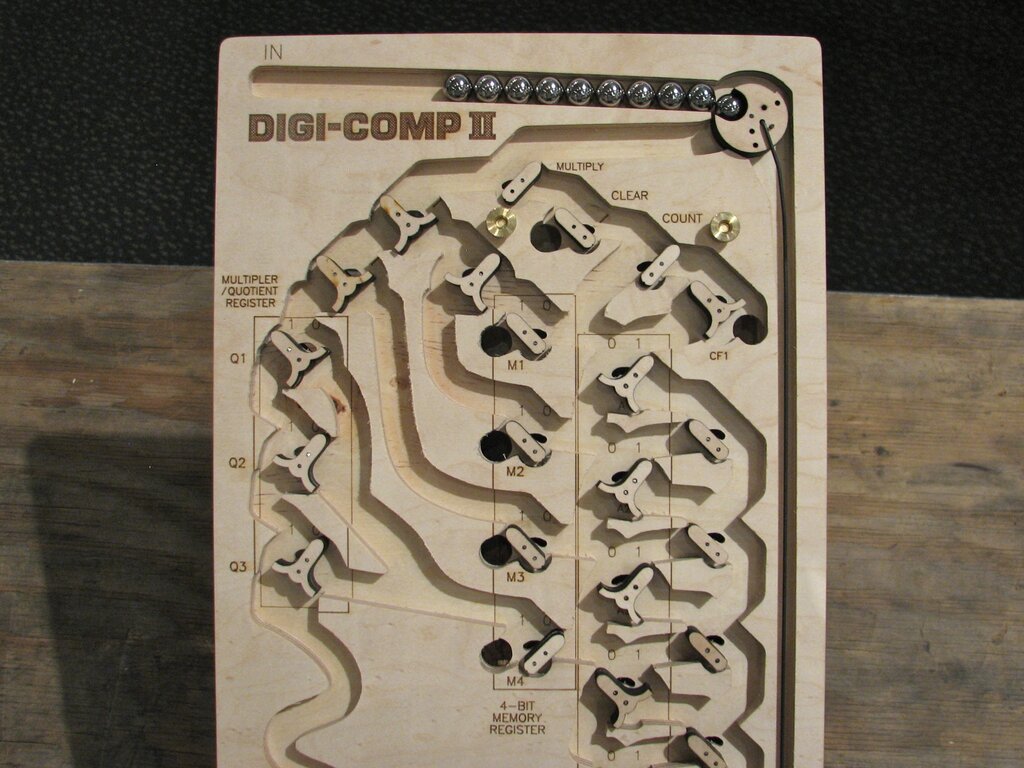
Digi-Comp II (wooden prototype)-- top section

The top surface of the machine is cut from 1/2″ thick plywood, using a CNC router to make 3/8″ deep channels where the balls can roll. After routing, we added all of the labels by laser engraving. The flip-flops and switches are laser cut from thinner plywood, and rotate on simple plain bearings consisting of 1/16″ diameter stainless steel pins and slightly larger holes drilled through the wood. At the upper right, you can see the ball-release mechanism, which releases a ball when the actuated by the pushrod.

As with our giant model, the design is a functional but not exact replica of the original. All of the flip-flops, registers, and switches are approximately in the original locations, but the “wiring” (really, rolling ball paths) has been created from scratch. One of the non-obvious things when you first look at the Digi-Comp II is that there are actually two levels to the machine. The six “black holes” that you can see above drop the ball down to the lower level, as a shortcut to the bottom or (for certain functions) to flip switches on the top side.


Digi-Comp II (wooden prototype)-- bottom section

On the bottom half of the machine you can see the ball return as the stripy ramp in the center. The stripes on the ramp arise from cutting plywood at an angle (see here for another example). Below that is the Start Lever. When a ball presses down the start lever, it pushes the pushrod that releases the next ball from the top.


We’ll be demonstrating our prototype Digi-Comp II all weekend at Maker Faire. If you’re in the area, please drop come see the Maker Faire, say hi, and try it out!

    Additional resources:

  • If you’d like more information about the Digi-Comp II in general, please take a look at our prior articles (again, with photos and with video).
  • The official site for our project is digicompii.com
  • If you are interested in the forthcoming kit version, please sign up for the Evil Mad Science Mailing List.

Open hardware summit badge

badge 1

badge 2

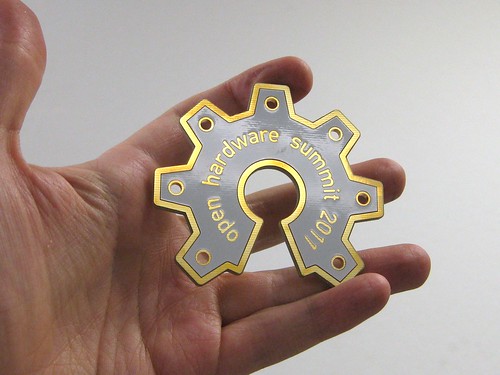
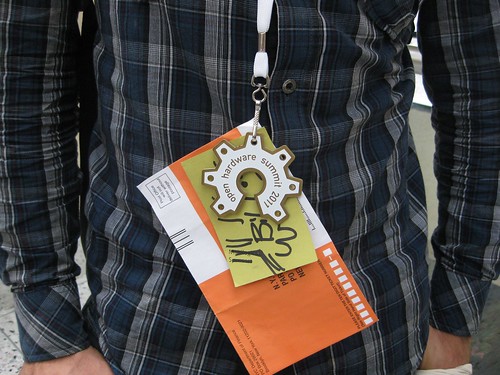
The 2011 Open Hardware Summit was held this week in New York City. We were fortunate enough to be able to design the badges for the event, which are pictured above.

Naturally, the badge itself is an example of open source hardware. It’s constructed as an extra-thick circuit board, in the shape of the Open Source Hardware logo, with plated gold finish. It was made with our usual open source toolchain, including Inkscape and gEDA/PCB, and the design files are hosted at the Evil Mad Science Wiki.