Category Archives: EMSL Projects

Last minute Evil Mad Shopping and Projects

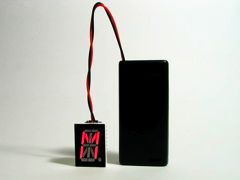
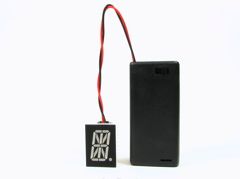
Lit up segments spell out the letter M   Segments visible

Time to make some LED Micro-Readerboards as ornaments for your tree this year? Watch the short video introduction to see what they do: display a message one character at a time.

This is one of the open-source holiday electronics projects that we released last year. Our up-to-date build instruction are here, including source code. We also have an FAQ about this project, a page of technical data about it, and a discussion forum if you need help with it. The version 2.0 kits (which are still available at the Make Store) use a seriously awesome ultra-high brightness, deep red 16-segment alphanumeric display for long battery life.

As of today, you can also buy the LED displays alone– just the thing for your own custom microcontroller project, alphapov display, name tag, or ornament.

[Product Page]

Jellybean versus the mechanical mouse
Next, the Interactive LED Panel Kits (as seen in the interactive LED coffee tables that we designed with Because We Can) now come with these beautiful black printed circuit boards. Pictured above, JellyBean combats a mechanical mouse on a table made with a special-order kit that has all green LEDs.

Quite a few of these tables have now been built and there’s even a new instructable from Deadly Computer about the process of building one. During the past month we’ve slowly caught up with the huge waiting list to get a kit, so it’s much easier to get one now. We have even made up some extras of the most popular kit combinations (8 panel with all blue LEDs or blue + white LEDs), which are available in stock to buy right now, shipped to arrive before Christmas to US addresses.

[Product Page]


bugStickers

Finally, we have some new multipurpose stickers for sale. Quite possibly the best gift in the world for the software developer in your life.

“These handy stickers will increase the visual appeal of many different items. If you happen to take them to any big box electronics stores, please bring your camera and post pictures in the Evil Mad Science Auxiliary.” We’re waiting for those action shots.
[Product Page]

A Simple and Cheap Dark-Detecting LED Circuit

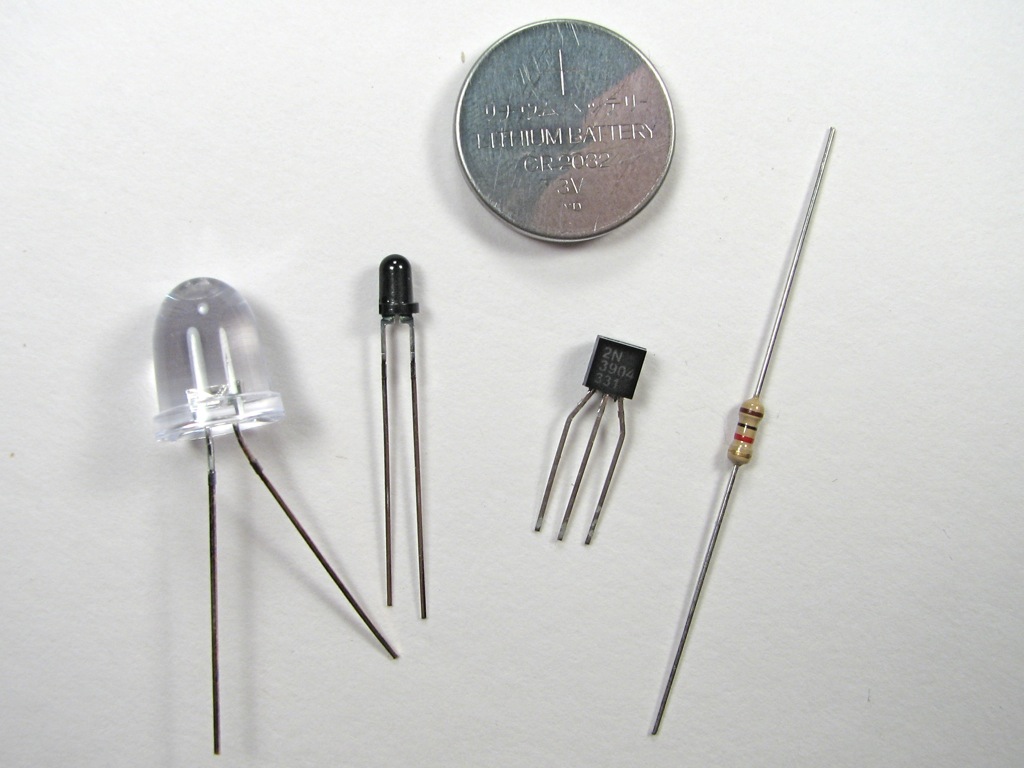
Components   Complete

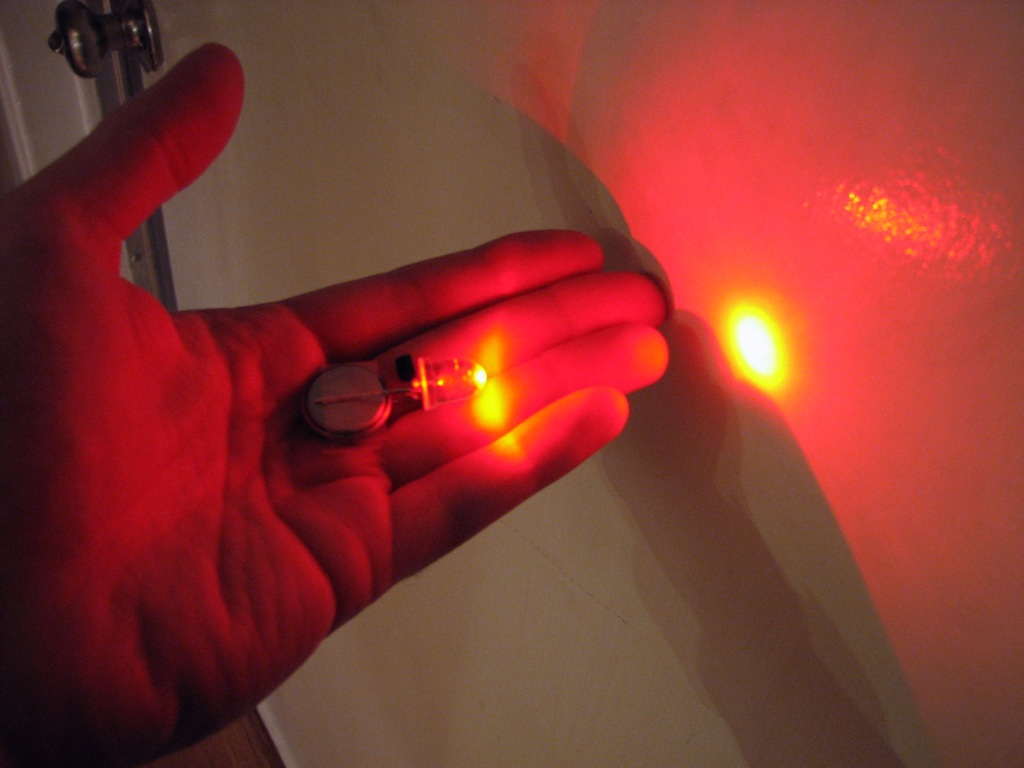
Stupidly bright.

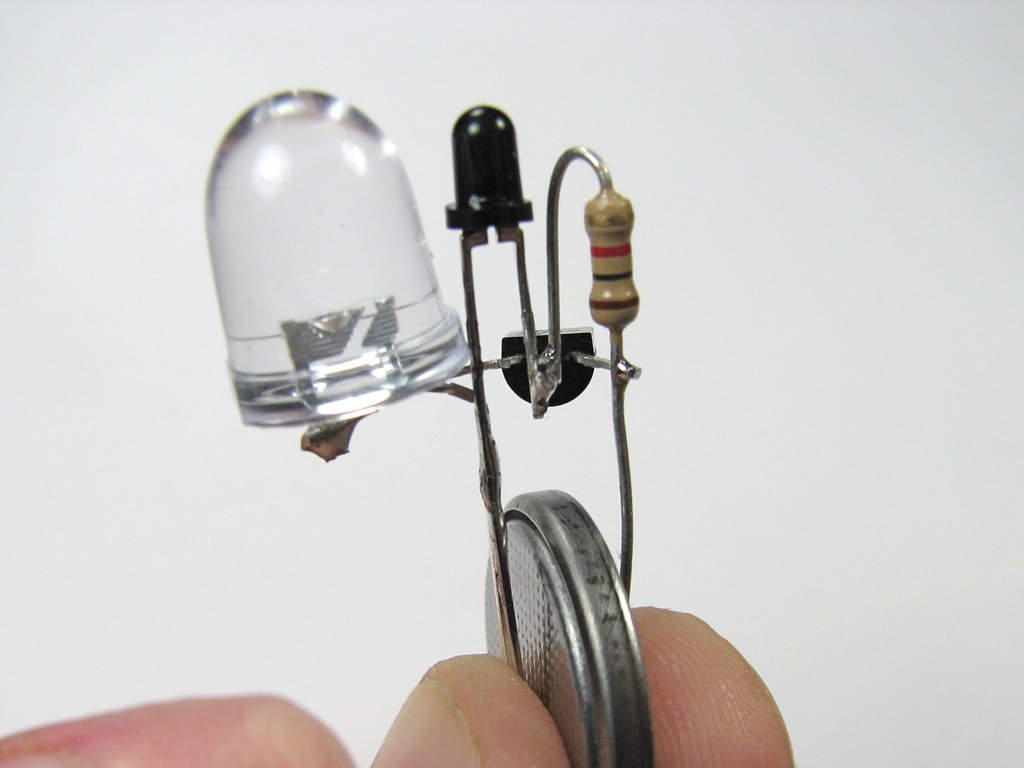
Here’s a simple problem: “How do you make an LED turn on when it gets dark?” You might call it the “nightlight problem,” but the same sort of question comes up in a lot of familiar situations– emergency lights, street lights, silly computer keyboard backlights, and the list goes on.

Solutions? Lots. The time-honored tradition is to use a circuit with a CdS photoresistor, sometimes called a photocell or LDR, for “light-dependent resistor.” (Circuit Example 1, Example 2.) Photoresistors are reliable and cost about $1 each, but are going away because they contain cadmium, a toxic heavy metal whose use is increasingly regulated. There are many other solutions as well. Look here for some op-amp based photodetector circuits with LED output, and check out some of the tricks used in well-designed solar garden lights, which include gems like using the solar cell itself as the sensor. (Our own solar circuit collection is here.)

In this article we show how to build a very simple– perhaps even the simplest– darkness-activated LED circuit. To our LED and battery we add just three components, which cost less than thirty cents altogether (and much less if you buy in bulk). You can build it in less than five minutes or less (much less with practice).

What can you do with such an inexpensive light-controlled LED circuit? Almost anything really. But, one fun application is to make LED throwies that turn themselves off in the daytime to save power. Throwies normally can last up to two weeks. Adding a light-level switch like this can significantly extend their lifetime.

Continue reading A Simple and Cheap Dark-Detecting LED Circuit

Iterative Algorithmic Plastic Sculpture: Fimo Fractals

IMG_3858.JPG

Earrings 2

One of our favorite shapes is the Sierpinski triangle. In one sense, a mere mathematical abstraction, on the other, a pattern that naturally emerges in real life from several different simple algorithms. On paper, one can play the Chaos Game to generate the shape (or cheat and just use the java applet).

You can also generate a Sierpinski triangle in what is perhaps a more obvious way: by exploiting its fractal self-similarity.
Continue reading Iterative Algorithmic Plastic Sculpture: Fimo Fractals

5-minute project: Spool spinner from an old fan

Normal thread spool 1   Normal thread spool 2

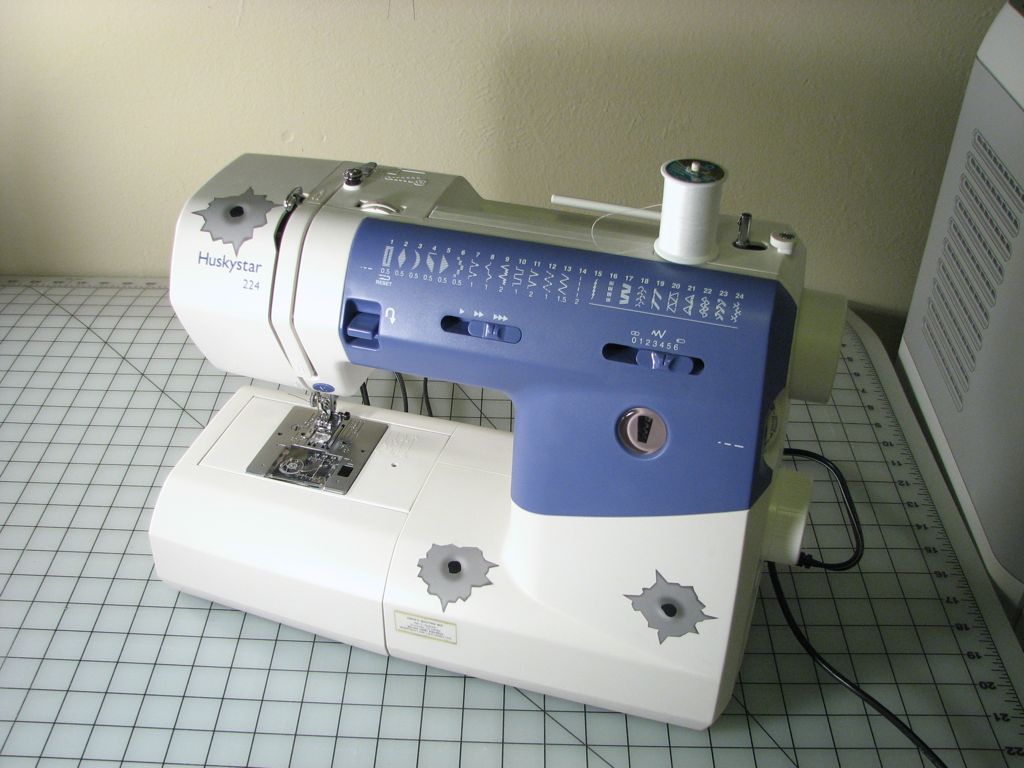
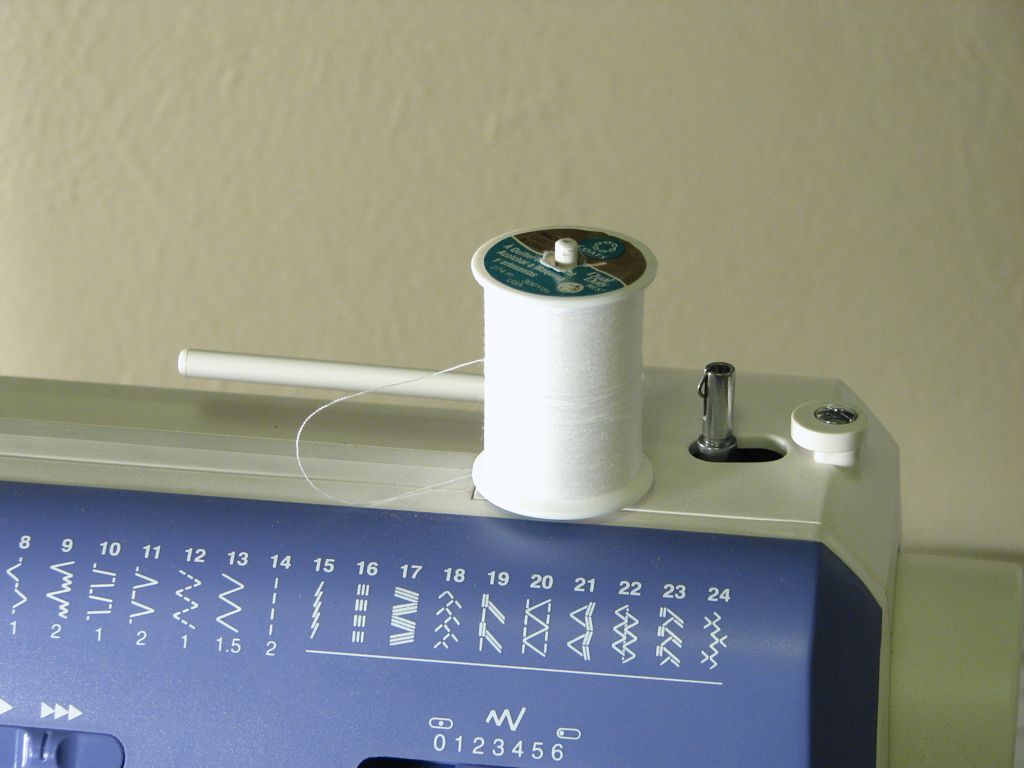
One of the common features on small “straight-stitch” sewing machines is a little rod on the top, called a spool pin. The spool pin holds a spool of thread and allows it to turn freely and feed out thread while the machine operates.

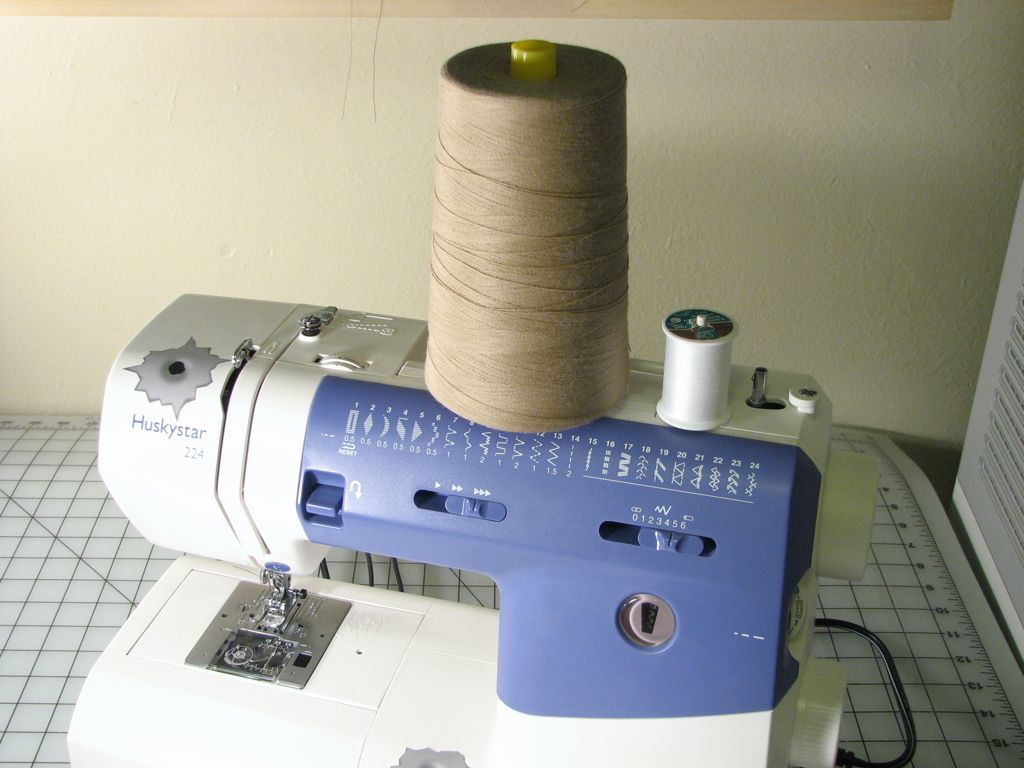
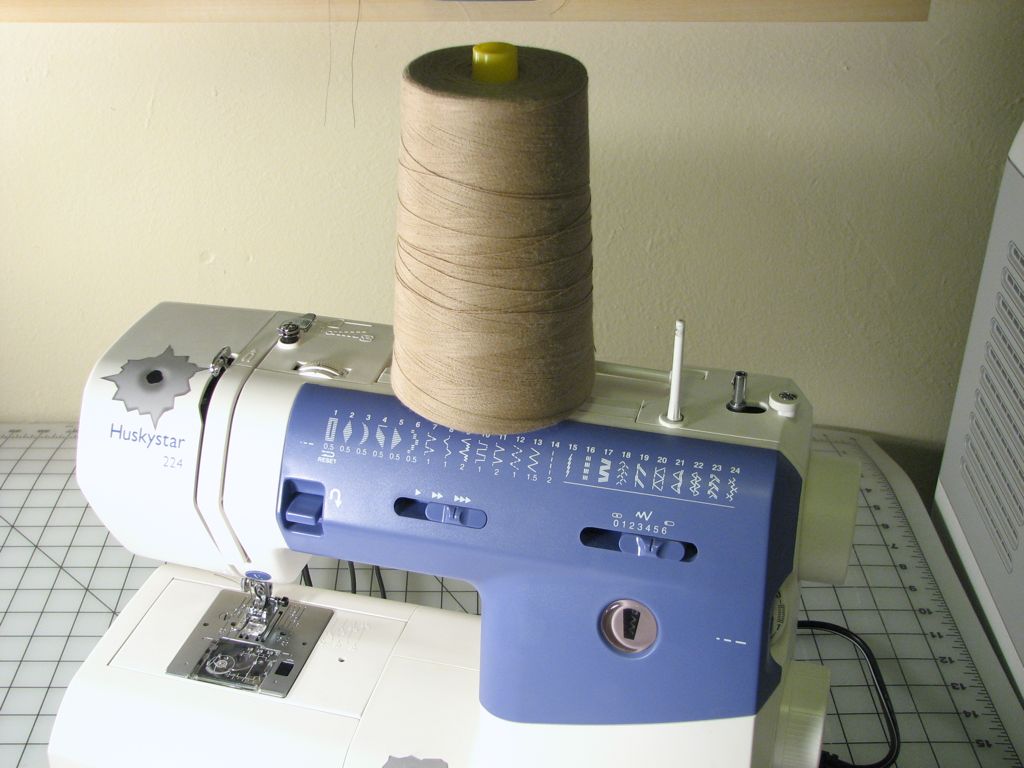
Seems straightforward enough, right? But what if you want to start working with larger spools of thread? Here’s an example that we brought home recently that, on first blush, just doesn’t look like it will work:

Spool, meet SPOOL   Bad idea!

By comparison, the standard spool of thread looks puny, and the spool pin looks even punier. Even if this large spool were able to fit onto our tiny spool pin, it could not spin freely because of its weight and friction.

So how can we use the spool? Our solution was to design a larger, heavy-duty “spool spinner,” incorporating low-friction precision ball bearings. Total budget: $0.00– using stuff from the junk bin only– and under five minutes.

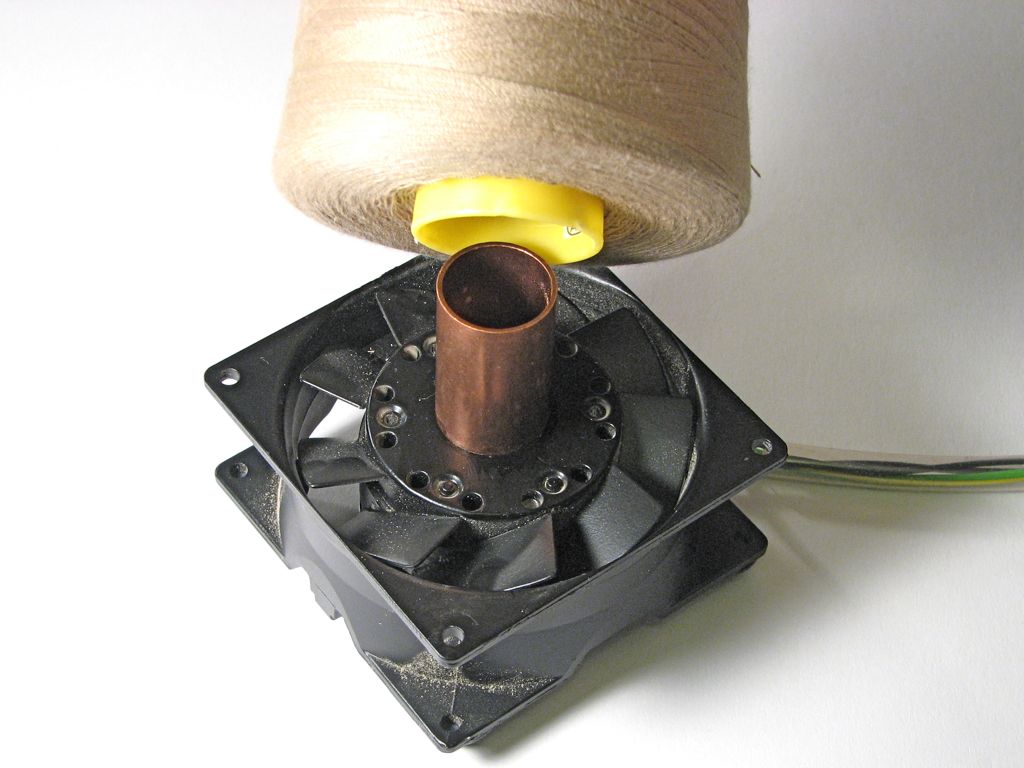
Parts used: an old “box” or “muffin” fan (the older and heavier the better), some rubber feet, a little piece of copper pipe, and superglue.

Sizing   Gloot

The fan that we found is an old 120 V AC type, made of cast aluminum and very sturdy. It doesn’t matter if it is electrically good; all that matters is that it spins well. To the spinning part of the fan we added a short copper pipe as our center pin, which turned out to be about the right size for the center of this particular spool. We used superglue to hold the copper piece in place. (Note: waiting for the glue to cure is the slow part of this build.)
 

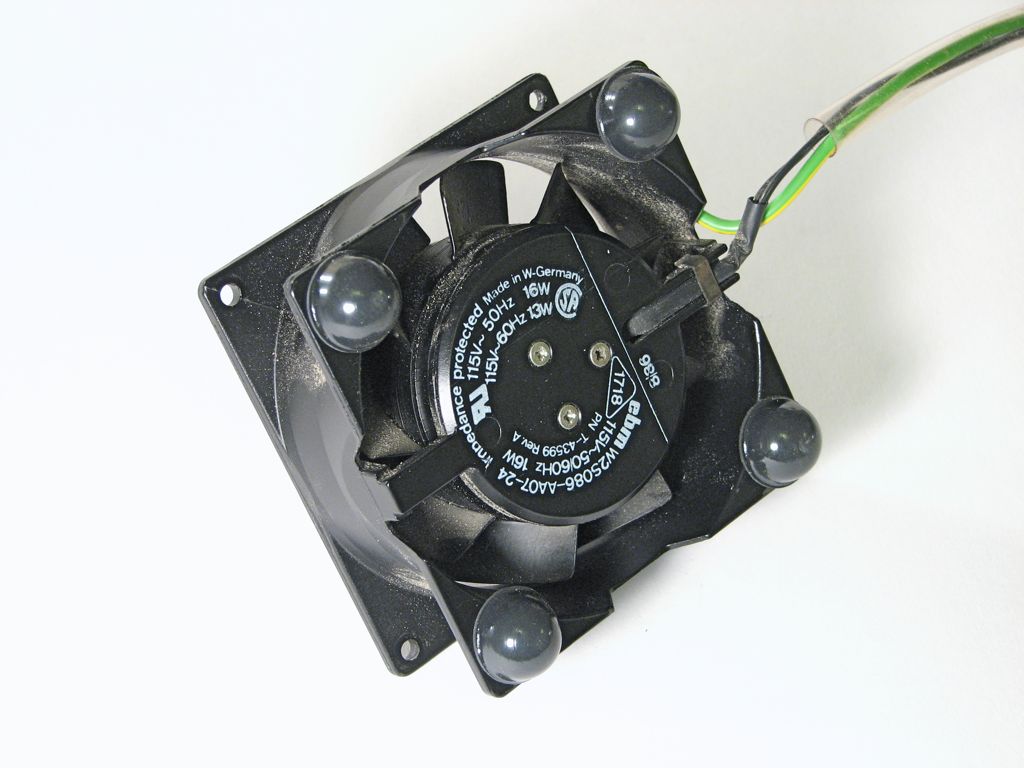
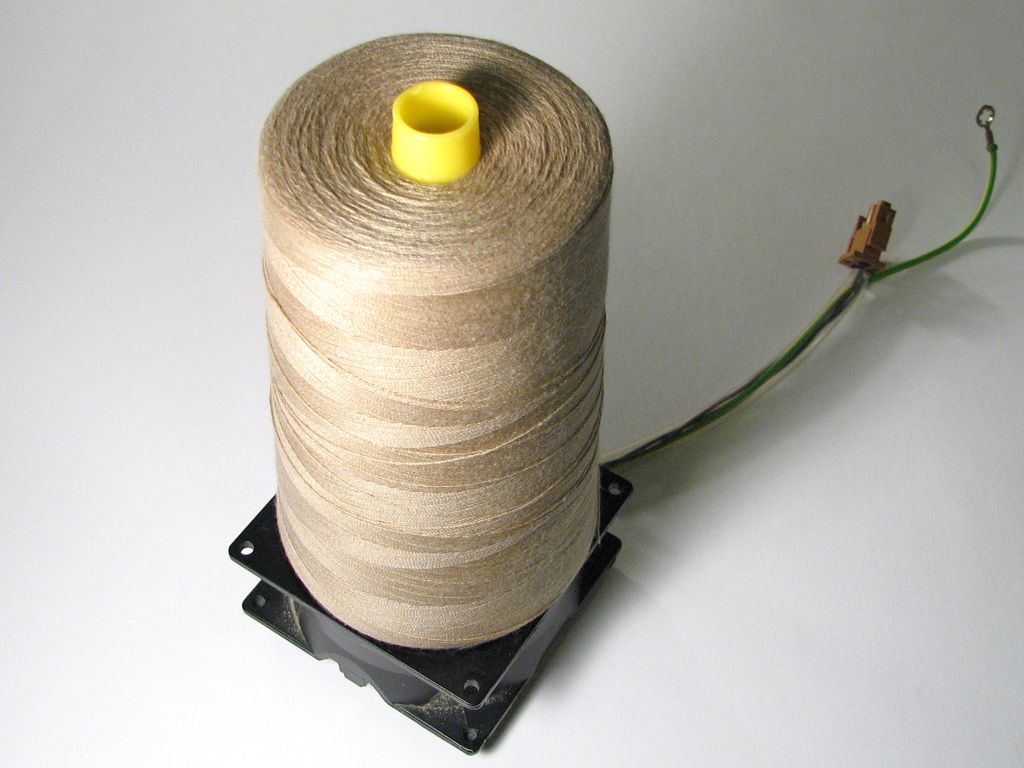
Got Feet   Finished Spinner

Add rubber feet to the other side of the fan and it’s ready to go.

Rather than keeping ours on top of the sewing machine we put it on the printer next to the sewing table, where it is less likely to get knocked over. (Side note: The cat enjoyed this setup.)

In Use

In practice, the fan bearing turns freely enough that the sewing machine can spin the spool as needed, but not so freely that it starts to turn and then unwinds the whole spool, so it works quite well.

Obviously this is a quick hack and is not the only approach to the problem– there’s nothing so fancy as a ball-bearing spool spinner on an industrial sewing machine, even though it can use huge spools. Instead, the spool is held in place while the thread is pulled off axially through a well-defined aperture. (Spools like this one, as you can tell from the slight conical taper, are actually designed to be used that way.) An advantage of our “spinner” design is that it works equally well with many different kinds of spools. It could even be a useful tool when winding coils from spools of wire.


Ask.com search suggestion contest: Winners

Two weeks ago, after observing the bizarre search suggestions that ask.com gives for searches, we launched a little contest (which we have run a little late in posting the results of). Here are the results in our several categories:

Ironic:

Winner:how do i go“, which ask.com helpfully expands into (among other variations), “how do i google someone.” Submitted by Josh Gurian.

Honorable mentions:
Does anyone actually use ask.com?
Where is jeeves? What have you done with him?
How to style your lack of hair

Insightful:

Winner: Evidence that people are looking for stuff that hasn’t been invented yet. (Hint: it isn’t on the net.) Submitted by flickr user samaritan.

Honorable mentions:
Did you fire Jeeves?
The question “Should a” produces some interesting ethical issues.
The simple query “when can” produces some insight into how obsessed ask.com (or perhaps its users) are with pregnancy.
Well, maybe pregnancy and international cuisine.

Depressing:

This was the hardest category. There were too many to choose from. The depressing entries struck various notes depression because very unhappy people are querying the search engine, but also because of the terrible grammar issues, and genuinely scary things that one would hope no one ever searches for– both self-destructive and frighteningly ill-informed.

The idea of choosing a “winner” for questions like these is rather stomach turning– but labeling them losers won’t help either.

Winner:
Why don’t i have any friends?, Submitted by flickr user samaritan.

Honorable mentions:
When will the” (insert terrible thing) happen?
How dumb am i?
Why does everyone lie to me?

Grammar:

Winner: The Most winningest, naturally. Submitted by flickr user dennisw.

Honorable mentions:
loose my belly
I hat you.. (It’s both brilliant and inexplicable.)

Funny:

Winner: The winner makes you wonder how they type the queries. Submitted by flickr user predatormc.

Honorable mentions:
How to kill a mockingbird
Can babies breathe underwater?
This one borders on scary, but the thing about sheep puts it in the funny category.
Finally, two good entries from the Stupid question department: First entry, Second entry

Congratulations to our winners!

LED Mini Menorahs:: Open source kits

Holiday motivation

All cynicism aside, one of the cool things about the holiday season is that it often provides a good excuse to play with lights.

Hanukkah in particular has been a festival of lights for more than a dozen centuries longer than there have been lights on Christmas trees. History notwithstanding, Hanukkah still lags behind Christmas in the transition from traditional light sources like candles towards microcontroller driven arrays of LEDs. While that may be simply due to the relative flammability of dry pine trees versus that of metal menorahs, the irony is that Hanukkah– unlike Christmas– actually requires observers to light up specific lights in a specific order, which is exactly the sort of thing that you want a microcontroller for.

Can’t find an open-source LED menorah at your local big box store? Not to worry!
Make one yourself from our instructions, which include source code for the AVR microcontroller (we use an ATtiny2313). Complete soldering kits to make your own– no programming needed– are also now available in quantity at our new web store.
(Note: While I cringe every time that I see Christmas displays up before Halloween, we aren’t actually too early in this case. Hanukkah starts on the evening of December 4th this year.)

Seat Belt Buckle Bag Mod

Yay!  Seat Belt Buckle!

Adding a seat belt buckle to a commuter bag improves its accessibility and usefulness. It’s a pretty easy modification, and super cool if you can find just the right buckle. Airline safety belt buckles (fasten low and tight across your lap…) are becoming more readily available and have a certain industrial charm.
Continue reading Seat Belt Buckle Bag Mod

Run Windows apps– without Windows– using Crossover

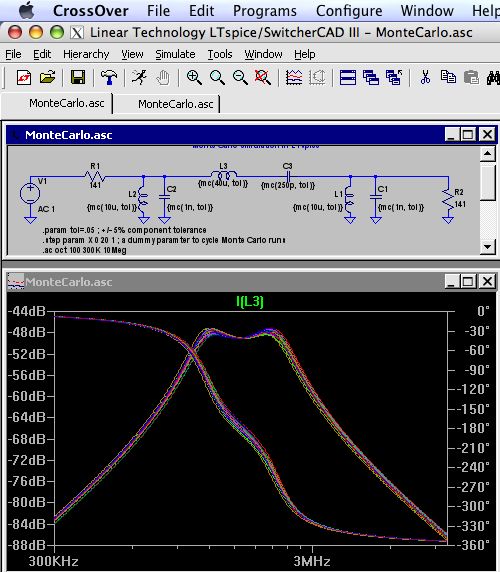
LTspice1

One of the nice things about having an Intel-based Mac is that you can, in principle, run a variety of operating systems including Microsoft Windows. You can do this using Apple’s Boot Camp utility, or through virtual machine programs such as Parallels.

I recently came across an esoteric “Windows only” electrical engineering program that I wanted to run on my Mac (LTspice/SwitcherCAD III — more about that later). And, while contemplating the $200-$300 cost of a legitimate Windows license, it might occur to you that the goal in this case is to run a program that runs under Windows– not actually to run Windows itself.

So why not look at Wine? Wine is a venerable software compatibility layer that allows unix-like operating systems to run programs designed for Windows. It turns out that there is even a Parallels-like virtualization environment so that you can run programs programs in Wine alongside Mac programs. It’s called Crossover Mac, and it’s $60 from Codeweavers.

And the verdict? It’s not for everyone, but it’s a great start.
Continue reading Run Windows apps– without Windows– using Crossover

Search suggestion contest!

Search suggestions

In our post on Monday, we noted that when you search at ask.com, you can get inappropriate and even frightening suggestions about what you might want to search for. What we have realized since then is that this is hardly an isolated example– In the comments we have even seen a few examples (like the one pictured above) that were arguably more frightening than the one (“how do you”) than the first one that we found.
This seems like an as-yet untapped resource of sarcastic humor. And we want to tap it. So, what bizarre search suggestions can you tickle out of that web site? It’s contest for one week, starting today.

How to enter: Upload your screen shot to the Evil Mad Science Auxiliary pool on flickr (free registration required, etc.) on or by November 13. Your entries must be reproducible. We will be judging in five categories: most ironic, most insightful, most depressing, worst grammar, and the funniest. Please tag your entry for the category or categories that you think it qualifies for. (Tags: ironic, insightful, depressing, grammar, and/or funny)

Up to five winners will be picked by November 17. Each winner will receive the glory of their name being listed as a winner and the corresponding scorn of programmers at Ask.com. Each winner will also get something that could actually be construed as a prize: a permanent forwarding e-mail address with your choice of name @evilmadscientist.com!
One hint: While the search results (at first glance) appear remarkably unfiltered, they are in fact filtered– but only on a conservative definition of “naughty” keywords, not on content in general. If you play with the search terms you’ll see that pretty quickly.

Update: It looks like uk.ask.com gives a different set of suggestions. We are ruling that these are fair game as well!